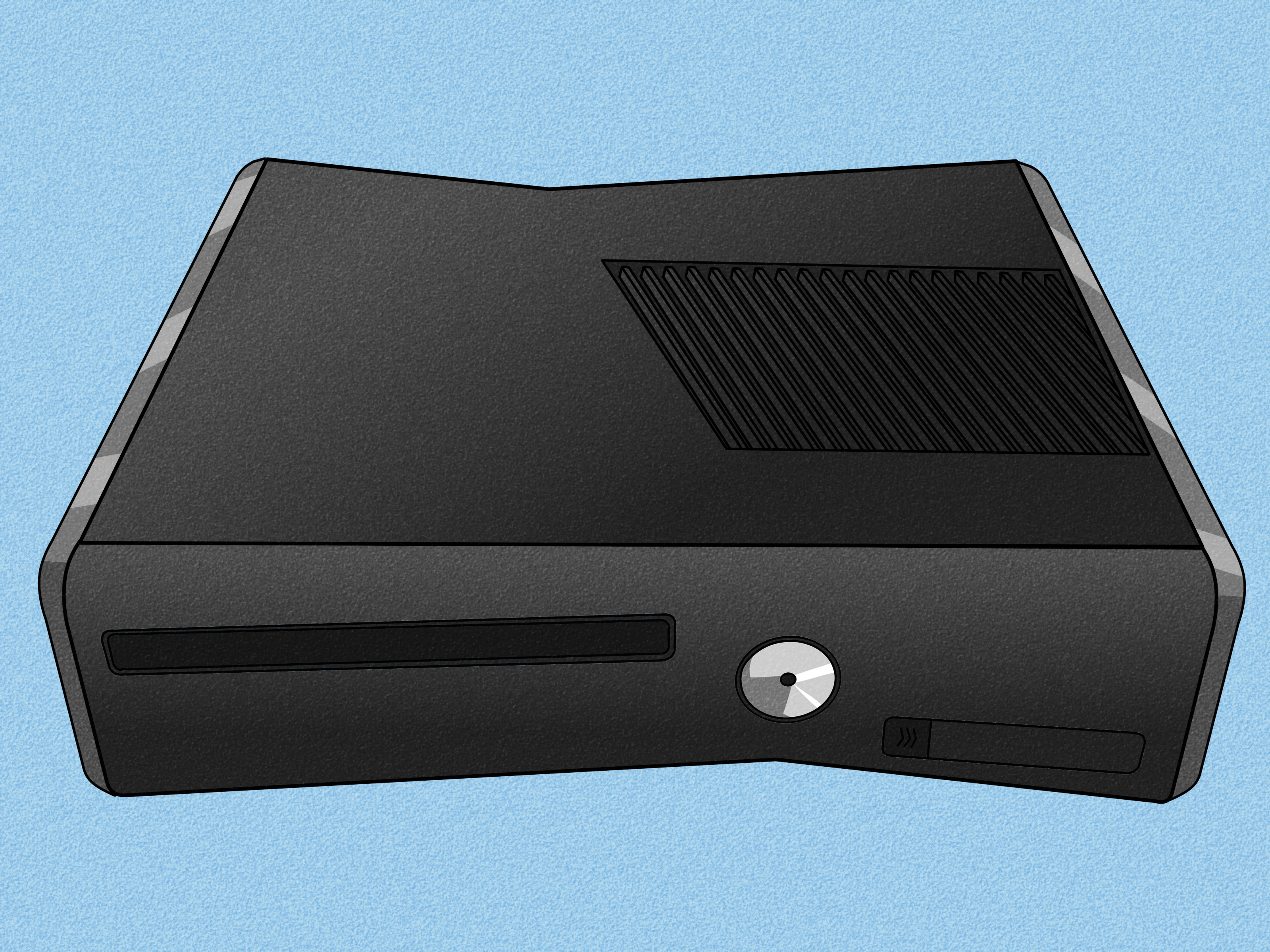
A router may look like a small plastic box with blinking lights, but do not let its humble appearance fool you. In the modern home or office, a router is the traffic director, security guard, translator, gatekeeper, and sometimes even the peace negotiator between your smart TV, laptop, phone, gaming console, printer, tablet, and that one mysterious device named “ESP_47B2” that nobody remembers buying.
So, what is the effect of using a router? In simple terms, using a router allows multiple devices to connect to the internet, communicate with one another, share resources, improve network organization, and add important layers of security and control. Without a router, most homes would have a much harder time connecting several devices to one internet connection. With a router, your network becomes more flexible, more convenient, and much easier to manage.
But a router does more than “make Wi-Fi happen.” It affects internet speed, coverage, privacy, device performance, cybersecurity, parental control, smart-home reliability, and even how smoothly your video calls survive when someone else starts streaming movies in 4K. Let’s break it down in plain English.
What Is a Router?
A router is a networking device that directs data between networks. In a typical home, your router connects your local networkyour phones, computers, smart speakers, cameras, printers, and other devicesto the wider internet. Think of it as a digital post office. Every time you open a website, send a message, stream a show, or join an online class, small packets of data travel back and forth. The router helps those packets get to the right device instead of wandering around like lost tourists.
Many people confuse routers with modems. A modem connects your home to your internet service provider. A router shares that connection with multiple devices and creates your local network. Some internet providers give customers a combined modem-router unit, which is why the two terms often get tossed around like socks in a laundry basket.
The Main Effect of Using a Router
The biggest effect of using a router is that it turns one internet connection into a usable network for many devices. Instead of plugging one computer directly into a modem, a router lets your entire household or office get online at the same time. It can do this through Ethernet cables, Wi-Fi, or both.
For example, imagine a family of four on a typical evening. One person is watching a cooking video, another is doing homework, someone else is playing an online game, and a parent is on a video meeting. A router makes that shared connection possible. It does not magically create unlimited bandwidth, but it does organize and distribute the connection so every device can request and receive data.
How a Router Affects Internet Access
It Lets Multiple Devices Share One Connection
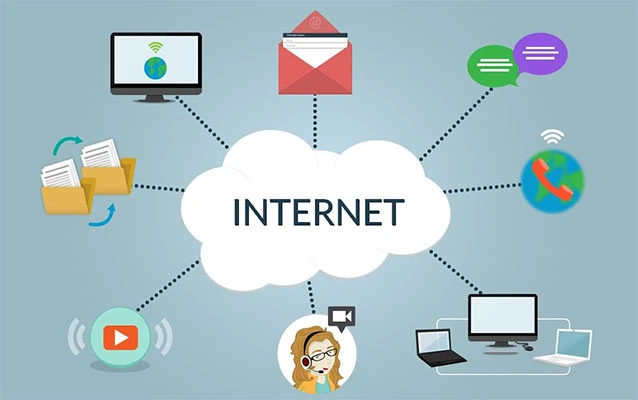
Before routers became common in homes, connecting several devices was awkward and limited. Today, one router can connect dozens of devices. Modern households often have phones, laptops, smart TVs, streaming boxes, tablets, doorbells, thermostats, game consoles, and appliances all asking for network access. A router gives them a shared path to the internet.
It Creates a Local Network
A router also creates a local area network, often called a LAN. This allows devices inside your home or office to communicate with each other. That is why you can print from a laptop to a wireless printer, stream media from one device to another, or access shared files on a local storage device. The internet is only part of the story; a router also helps your devices talk privately inside your own space.
It Assigns Local IP Addresses
Every device on a network needs an address. Your router usually assigns local IP addresses automatically through a feature called DHCP. Instead of making you type technical settings into every phone and laptop, the router handles the boring paperwork. It is the networking version of a hotel front desk giving every guest a room number.
How a Router Affects Speed and Performance
A router can strongly affect how fast your internet feels, although it cannot exceed the speed of the internet plan you pay for. If your plan provides 500 Mbps, a router cannot turn that into 1,000 Mbps by sheer enthusiasm. However, an old, weak, badly placed, or overloaded router can prevent you from getting the speed you already pay for.
Router Hardware Matters
Newer routers often support newer Wi-Fi standards, better processors, more memory, stronger antennas, and improved traffic management. If your internet plan is fast but your router is outdated, your devices may experience slower downloads, buffering, lag, or dropped connections. A router from ten years ago may technically still work, but so does an old flip phoneand nobody wants to write an essay on one.
Wi-Fi Bands Affect Performance
Most modern routers use multiple frequency bands, commonly 2.4 GHz and 5 GHz, while newer models may also support 6 GHz through Wi-Fi 6E or Wi-Fi 7 devices. The 2.4 GHz band usually reaches farther but is more crowded and often slower. The 5 GHz band is faster over shorter distances. The 6 GHz band can offer more open space for compatible devices, but range may be more limited.
The effect is simple: a good router can help devices connect on the best available band, reducing congestion and improving performance. That means smoother streaming, clearer video calls, faster downloads, and fewer moments where the spinning loading icon becomes your least favorite household member.
Quality of Service Can Prioritize Important Traffic
Some routers include Quality of Service, or QoS, settings. QoS allows certain types of traffic to get priority. For example, online gaming, video calls, or voice calls may be prioritized over a background file download. This does not create more bandwidth, but it can make important activities feel smoother when the network is busy.
How a Router Affects Wi-Fi Coverage
One of the most noticeable effects of using a router is Wi-Fi coverage. A properly placed router can spread wireless internet through a home, apartment, classroom, or office. A poorly placed router can turn your bedroom into a Wi-Fi desert where messages go to retire.
Placement Changes Everything
Routers usually work best when placed in a central, open location. Walls, metal objects, appliances, mirrors, thick floors, and distance can weaken the signal. Putting a router inside a cabinet or behind a TV may look tidy, but it can reduce performance. Routers need breathing room, not solitary confinement.
Mesh Routers Extend Coverage
For larger homes or buildings with difficult layouts, mesh Wi-Fi systems can help. A mesh system uses multiple units that work together to spread coverage. Instead of relying on one router to shout across the entire house, mesh nodes pass the signal along more gracefully. This can reduce dead zones and make roaming from room to room smoother.
How a Router Affects Security
A router is one of the most important security devices in a home or small business network. It sits between your devices and the internet, which makes it a first line of defense. Used properly, a router can reduce exposure to unwanted access, block unnecessary traffic, and protect wireless communication with encryption.
Encryption Protects Wi-Fi Traffic
Secure routers support Wi-Fi encryption such as WPA2 or WPA3. WPA3 is newer and stronger, but WPA2 is still widely used and much better than older standards like WEP. Encryption helps scramble the information moving over your wireless network so outsiders cannot easily read it.
Changing Default Settings Matters
One of the most practical router security steps is changing default usernames, passwords, and network names. Default settings are often easy to guess or widely known. A strong router admin password and a strong Wi-Fi password make it harder for strangers to access your settings or network.
Firmware Updates Help Fix Weaknesses
Routers run software called firmware. Like phones and computers, routers need updates to fix bugs and security flaws. Some routers update automatically; others require you to check manually in the router app or web dashboard. Ignoring router updates is like locking your front door but leaving a note that says, “Back window might be open.”
Guest Networks Add Separation
Many routers let you create a guest network. This is useful when visitors need Wi-Fi but do not need access to your printers, computers, or smart-home devices. A guest network can also be helpful for smart devices, especially if you want to keep them separate from your main computers and phones.
How a Router Affects Privacy
A router can improve privacy by helping control who joins your network and how devices communicate. It does not make you invisible online, and it is not the same as a VPN, but it does give you more control over your local environment.
For instance, you can rename your Wi-Fi network so it does not reveal your family name, apartment number, router brand, or business identity. You can also review connected devices and remove anything suspicious. Some routers include parental controls, device pausing, content filters, and usage reports. These features can help families manage screen time and keep unknown devices off the network.
How a Router Affects Smart Homes
Smart homes depend heavily on routers. Doorbell cameras, thermostats, smart bulbs, robot vacuums, speakers, plugs, and security systems all need reliable connectivity. A weak router can make smart devices slow, unresponsive, or randomly offline. That is when your “smart” light bulb starts acting like it skipped school.
A strong router improves smart-home stability by providing better coverage, better device handling, and stronger network management. For homes with many connected devices, a modern router or mesh system can make a noticeable difference. Some routers also allow device grouping, guest networks, or separate bands, which can help organize smart-home traffic.
How a Router Affects Gaming and Streaming
Gamers and streamers often notice router performance quickly. Online gaming depends on low latency, stable connections, and minimal packet loss. Streaming depends on consistent bandwidth. A router that struggles under load can cause lag, buffering, sudden resolution drops, or disconnects.
Using Ethernet for gaming consoles or desktop computers can improve stability because wired connections are less affected by distance and interference. For wireless devices, a modern router with strong 5 GHz or 6 GHz performance can help. QoS settings may also reduce the impact of other users downloading files or streaming video at the same time.
How a Router Affects Work and Online Learning
Remote work and online learning have made routers more important than ever. A router affects video meeting quality, cloud file access, online testing, messaging apps, and collaboration tools. If your router drops connections or struggles with multiple users, productivity suffers.
For a student taking an online exam or an employee presenting during a video meeting, a stable router is not a luxury. It is the invisible foundation that keeps everything running. Good router placement, updated firmware, strong security, and enough capacity for all household devices can prevent many common problems.
Possible Downsides of Using a Router
Routers are useful, but they are not magic boxes without drawbacks. A router can create problems if it is misconfigured, outdated, overloaded, or insecure.
Old Routers Can Slow You Down
An outdated router may not support newer speeds or security standards. If your internet provider upgraded your plan but your router still uses older Wi-Fi technology, you may not feel the full benefit.
Bad Security Can Create Risk
A router with a weak password, old encryption, outdated firmware, or remote management left on unnecessarily can become a security risk. Attackers often look for poorly protected network equipment because routers control access to everything behind them.
Too Many Devices Can Cause Congestion
Every router has limits. If dozens of devices are streaming, downloading, gaming, backing up files, and chatting with cloud services at once, performance may drop. Upgrading to a better router or mesh system can help, but bandwidth limits still matter.
Router vs. Modem: Why the Difference Matters
A modem brings internet service into your home. A router distributes that connection to your devices. If your internet is not working, knowing the difference helps troubleshooting. If the modem has no connection, the problem may involve your internet provider or signal line. If the modem is online but your devices cannot connect, the router may be the issue.
In many homes, the modem and router are combined into one gateway. This is convenient, but separate devices can offer more flexibility. People who want stronger Wi-Fi, better features, or more control often use their own router connected to the provider’s modem or gateway.
Best Practices for Getting the Best Effect from a Router
Place It in a Central Location
Put your router in an open, central area when possible. Avoid hiding it behind furniture, inside closets, or next to large metal objects. Your router is not a decorative candle, but it should not be buried like treasure either.
Use Strong Passwords
Use a strong Wi-Fi password and a separate strong admin password for the router settings. Do not use your name, address, phone number, pet name, or “password123,” which is less of a password and more of a welcome mat.
Turn On WPA2 or WPA3
Use WPA3 if your router and devices support it. Otherwise, WPA2 is generally the minimum you should use. Avoid WEP and open networks for normal home or business use.
Update Firmware
Check for router updates regularly or enable automatic updates if available. Updates can improve performance and close security holes.
Use Ethernet When Stability Matters
For gaming, desktop workstations, smart TVs, and video conferencing setups, Ethernet can provide a more stable connection than Wi-Fi. Wi-Fi is convenient, but cables still win many reliability contests.
Create a Guest Network
A guest network is useful for visitors and smart devices. It keeps your main network cleaner and can reduce the chance of guests accidentally accessing shared devices.
Real-Life Experiences Related to Using a Router
One of the easiest ways to understand the effect of using a router is to look at everyday experiences. Most people do not think about their router until something goes wrong. When Wi-Fi works, it is invisible. When it fails, the whole house suddenly becomes a customer support department.
Consider a common home scenario. A family upgrades to a faster internet plan because streaming keeps buffering. The provider confirms the line is delivering high speed, but the living room TV still freezes. After some troubleshooting, the real problem turns out to be an old router placed behind a bookshelf on the far side of the house. Once the router is moved to a central locationor replaced with a newer modelthe connection improves dramatically. The effect was not just “faster internet.” It was better signal strength, better coverage, and fewer arguments over who was “using all the Wi-Fi.”
Another experience happens in small apartments. Someone may assume a tiny space does not need a good router. Then they discover that neighboring Wi-Fi networks are crowding the same channels. In apartment buildings, wireless congestion can be intense because dozens of routers may be broadcasting nearby. A dual-band or tri-band router can help by moving compatible devices to less crowded bands. The result is not always a higher speed-test number, but pages load more consistently, video calls stop glitching, and music streaming no longer cuts out when someone walks into the kitchen.
Routers also make a big difference for students. Picture a student attending online classes while a sibling streams cartoons and a parent uploads work files. Without a decent router, the student’s video may freeze right when the teacher asks a question. Excellent timing, terrible experience. With a router that handles multiple devices welland possibly uses QoS to prioritize video callsthe online class becomes more stable. The router helps divide attention across devices without letting one activity completely bully the others.
In a home office, the effect can be even more serious. A dropped connection during a casual movie night is annoying. A dropped connection during a client presentation can feel like watching your professionalism leave through the window. Many remote workers eventually learn that router placement, Ethernet connections, firmware updates, and strong Wi-Fi security are not “tech nerd extras.” They are basic tools for keeping work reliable.
Smart-home users often have their own router stories. A smart doorbell may work perfectly near the router but disconnect after installation outside. A robot vacuum may refuse to connect to a 5 GHz-only network because it requires 2.4 GHz. A security camera may become unreliable when the router is overloaded. These experiences show that a router affects more than laptops and phones. It can determine whether smart devices feel helpful or hilariously stubborn.
There is also the security experience. Many people set up a router once and forget about it for years. Then one day they check the connected-device list and see names they do not recognize. Sometimes the mystery device is harmless, like an old tablet. Other times, weak passwords or shared credentials may have allowed neighbors or strangers to connect. Changing the Wi-Fi password, enabling modern encryption, updating firmware, and creating a guest network can restore control. The effect is peace of mind, which is not measured in megabits but matters just as much.
Finally, routers teach a practical lesson: the internet experience is not only about the internet provider. The router is the middle manager of your digital life. A good one keeps traffic organized, protects the network, and helps devices cooperate. A bad one causes confusion, slowdowns, and dramatic sighing from everyone in the house. In other words, the router may be small, but its effect is huge.
Conclusion
The effect of using a router is simple at first glance and surprisingly powerful once you look closer. A router lets multiple devices share one internet connection, creates a local network, improves convenience, supports wireless access, and adds important security controls. It can affect speed, coverage, privacy, smart-home reliability, gaming performance, streaming quality, online learning, and remote work.
A good router will not fix every internet problem, but it can remove many common frustrations. With smart placement, strong passwords, modern encryption, firmware updates, and the right hardware for your space, your router can turn a messy collection of devices into a stable and secure network. Not bad for a little box with blinking lights.