Publishing a YouTube video without keywords is a little like opening a food truck in the desert and wondering why nobody ordered tacos. The content might be fantastic. The camera may be crisp. Your editing may deserve a tiny parade. But if YouTube and viewers cannot quickly understand what the video is about, your masterpiece may quietly collect digital dust.
That is where YouTube keywords come in. They help connect your video with the people already searching for answers, reviews, tutorials, comparisons, entertainment, and inspiration. The big idea is simple: use the words your audience uses, place them where they naturally belong, and then make a video that actually satisfies the search.
This guide explains how to use keywords in YouTube videos to get more views without stuffing titles, gaming the algorithm, or turning your description box into a keyword soup nobody ordered. Think of it as a practical, Moz-style approach: helpful content first, smart optimization second, and no shady tricks wearing a fake mustache.
What Are YouTube Keywords?
YouTube keywords are words and phrases that describe your video topic and match what people type into YouTube search. Examples include “beginner yoga routine,” “how to fix a leaky faucet,” “best budget camera for YouTube,” or “Moz keyword research tutorial.”
These keywords can appear in several places, including your video title, description, tags, chapters, subtitles, playlist names, and even the spoken script. They help YouTube understand relevance, but they also help humans decide whether your video is worth clicking. That second part matters a lot. You are not optimizing for robots alone; you are optimizing for busy people with thumbs, short attention spans, and many other videos competing for their eyeballs.
Why Keywords Still Matter for YouTube Views
YouTube has grown far beyond a simple search engine. It recommends videos on the home page, in suggested videos, through Shorts, in playlists, and sometimes in Google Search. Still, keywords remain important because they help your video enter the right conversation.
When someone searches “how to start a vegetable garden,” YouTube needs to decide which videos best match that intent. A clear title, useful description, accurate transcript, strong engagement, and relevant viewing behavior all help the platform understand your content. Keywords are not magic beans, but they are important signals.
The smartest creators do not ask, “How many keywords can I cram into this video?” They ask, “What does my viewer want, and how can I make that obvious?” That shift alone can separate a helpful YouTube strategy from a spammy one.
Start With Search Intent, Not Random Keyword Lists
Before choosing a keyword, ask what the viewer wants to accomplish. Search intent is the reason behind the search. On YouTube, common types of intent include learning, comparing, buying, troubleshooting, and being entertained.
Examples of YouTube Search Intent
A search for “how to use Moz Keyword Explorer” suggests the viewer wants a step-by-step tutorial. A search for “Moz vs Ahrefs” suggests comparison intent. A search for “best YouTube keyword tools” suggests research before choosing a tool. A search for “YouTube SEO mistakes” suggests the viewer wants to avoid problems.
If your video does not match the intent, the keyword will not save it. Imagine titling a video “How to Get More YouTube Views” and then spending twelve minutes talking about your favorite office chair. Comfortable? Maybe. Helpful? Not exactly.
How to Find Keywords for YouTube Videos
Good YouTube keyword research starts with real audience behavior. You want phrases people actually search for, not phrases that sound impressive in a marketing meeting.
Use YouTube Autocomplete
Go to YouTube and type a broad phrase related to your topic. YouTube will suggest searches based on real user behavior. If you type “YouTube keywords,” you may see ideas like “YouTube keywords for views,” “YouTube keyword research,” or “YouTube keywords in description.” These suggestions can reveal long-tail keyword opportunities that are more specific and often easier to target.
Study Competing Videos
Search your target keyword and review the top-ranking videos. Look at their titles, thumbnails, descriptions, chapters, and video angles. Do not copy them. Instead, look for patterns. Are the top videos mostly tutorials? Are they short tips? Are they tool reviews? Are they beginner-friendly?
Your goal is to understand what YouTube already considers relevant and then create something better, clearer, fresher, or more useful.
Use Keyword Research Tools
Tools like Moz, Semrush, Ahrefs, TubeBuddy, vidIQ, Google Trends, and YouTube Analytics can help you discover topics, estimate demand, compare competition, and spot related phrases. Use tools as a compass, not a steering wheel. Data can point you in the right direction, but your audience knowledge should drive the final decision.
Check YouTube Analytics
If your channel already has videos, YouTube Studio is a gold mine. Review search terms, traffic sources, click-through rate, audience retention, and watch time. Sometimes the best keyword opportunities are hiding in videos that already get impressions but need a better title, stronger thumbnail, or clearer description.
Where to Put Keywords in YouTube Videos
Once you choose a primary keyword and a few secondary keywords, place them naturally in the most important areas of your video page.
1. Video Title
Your title is one of the strongest signals for both viewers and YouTube. It should include the main keyword, but it also needs to promise a clear benefit. A title like “YouTube Keyword Research for Beginners: Get More Views Faster” is clearer than “Keywords and Video Stuff Episode 7.”
Keep titles concise, specific, and readable. Put the main keyword near the beginning when it makes sense. Avoid repeating the same phrase awkwardly. You want the title to sound like something a human would click, not something assembled by a caffeinated spreadsheet.
2. Video Description
Your description gives YouTube and viewers more context. The first two or three lines are especially important because they often appear before the “show more” break. Use that space to summarize the video and include your primary keyword naturally.
For example:
Learn how to use keywords in YouTube videos to improve search visibility, attract the right viewers, and get more views without keyword stuffing.
After that, add supporting details, links, resources, timestamps, and related phrases. A useful description can improve clarity, encourage clicks, and help viewers navigate your content.
3. YouTube Tags
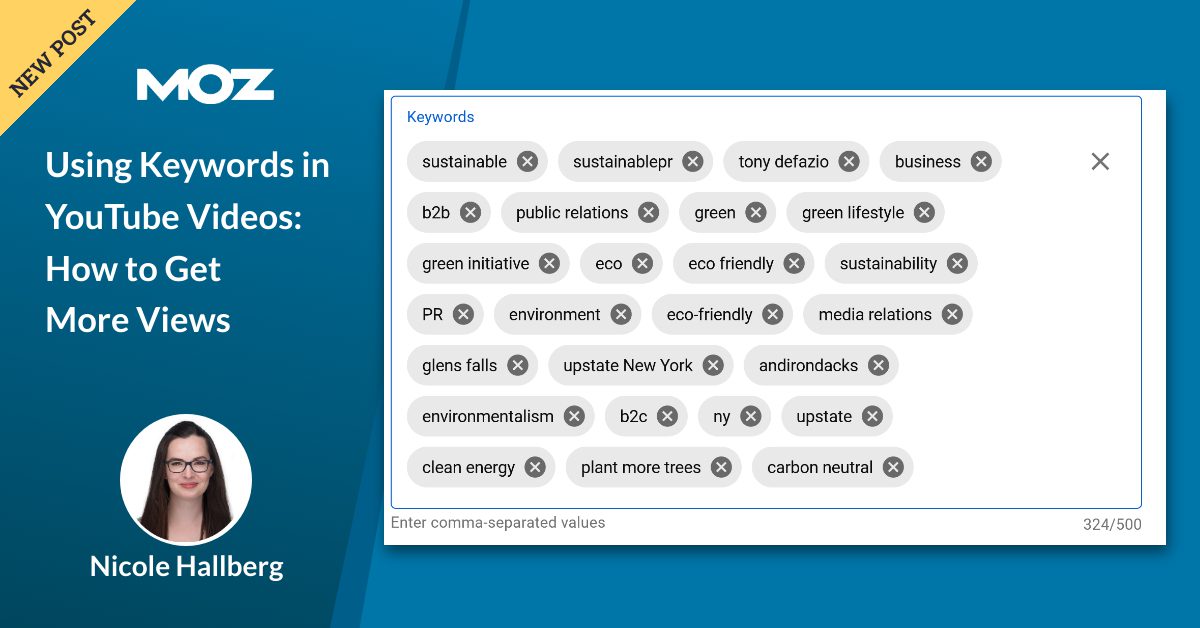
Tags are descriptive keywords added in the backend of a video. They can help with misspellings, alternate names, and context, but they are not as important as your title, thumbnail, and description. Use tags thoughtfully. Add your primary keyword, close variations, branded terms, and a few related topics.
For example, a video about YouTube keyword strategy might include tags such as “YouTube keywords,” “YouTube SEO,” “video SEO,” “keyword research for YouTube,” and “how to get more YouTube views.”
4. Chapters and Timestamps
Chapters make your video easier to navigate and can reinforce topical relevance. Instead of vague labels like “Part 1” and “Part 2,” use descriptive chapter names such as “How to Find YouTube Keywords,” “Where to Add Keywords,” and “How to Track Video Performance.”
This helps viewers jump to what they need. It also gives Google and YouTube more structured context about your video.
5. Spoken Script and Captions
Say your topic clearly in the video. If your video is about “using keywords in YouTube videos,” mention that phrase naturally in your introduction. Captions and transcripts can help accessibility and may provide additional context for indexing.
This does not mean repeating your keyword every twenty seconds like a malfunctioning robot. It means discussing the topic clearly enough that both people and platforms understand what is happening.
How to Choose the Right Primary Keyword
A good primary keyword has three qualities: relevance, search demand, and realistic competition.
Relevance comes first. If the keyword does not match the video, do not use it. Search demand matters because you want people to actually look for the topic. Competition matters because a new or smaller channel may struggle to rank for broad terms like “SEO” but may perform well with a specific phrase like “YouTube SEO for real estate agents.”
Long-tail keywords are often a smart choice. They are longer, more specific phrases that show clearer intent. For example, “YouTube keyword research for beginners” is more specific than “YouTube keywords.” A long-tail keyword may have fewer searches, but it often attracts viewers who know exactly what they want.
Keyword Placement Example
Let’s say your video teaches small business owners how to find YouTube keywords. Your keyword plan might look like this:
- Primary keyword: YouTube keyword research for small business
- Secondary keywords: YouTube SEO, video keywords, get more YouTube views, YouTube search optimization
- Title: YouTube Keyword Research for Small Business: Get More Views
- Description opening: Learn YouTube keyword research for small business so your videos can appear in search, reach better viewers, and earn more views over time.
- Chapters: What YouTube Keywords Are, How to Find Video Keywords, Where to Put Keywords, How to Track Results
- Tags: YouTube keyword research, YouTube SEO, video keywords, small business YouTube, get more YouTube views
Notice that the keywords are present, but the text still sounds natural. That is the sweet spot.
Do Keywords Alone Get More Views?
No. Keywords help your video get discovered, but they do not guarantee views. YouTube also pays attention to viewer behavior. If people click your video and leave after eight seconds, that is not a great sign. If viewers watch, comment, like, subscribe, and continue to another video, that is much better.
To get more views, keywords must work together with strong packaging and satisfying content. The title and thumbnail earn the click. The intro earns attention. The body delivers value. The ending encourages the next action. Keywords open the door, but your content has to host the party.
Optimize the Thumbnail With the Keyword in Mind
Your thumbnail does not need to repeat the exact keyword, but it should support the same promise as the title. If your title says “YouTube Keyword Research for Beginners,” the thumbnail might say “Find Better Keywords” or “Rank Your Videos.”
A strong thumbnail is clear at small sizes, visually simple, emotionally interesting, and aligned with the search intent. Avoid clutter. A thumbnail with twelve arrows, five emojis, and a shocked face screaming at a spreadsheet may get attention, but not always the right kind.
Common YouTube Keyword Mistakes
Keyword Stuffing
Repeating the same phrase again and again does not make your video better. It makes your metadata look spammy. Use variations naturally and focus on clarity.
Targeting Keywords That Are Too Broad
Broad keywords are tempting because they appear to have more search volume. But broad terms are often more competitive and less specific. A focused keyword like “how to add keywords to YouTube videos” may be more useful than simply “YouTube.”
Ignoring Viewer Retention
Even perfectly optimized metadata cannot rescue a video that fails to hold attention. Start with a strong hook, remove unnecessary fluff, and deliver the answer promised in the title.
Copying Competitors Exactly
Competitor research is useful. Copying is not. If every top video says the same thing, your opportunity may be to create a clearer tutorial, a better example, a newer update, or a more specific angle.
How to Track Whether Your Keywords Are Working
After publishing, check your YouTube Studio data. Important metrics include impressions, click-through rate, average view duration, traffic from YouTube Search, traffic from suggested videos, and audience retention.
If a video gets impressions but a low click-through rate, your title or thumbnail may need improvement. If people click but leave early, your intro may not match the promise. If search traffic is weak, your keyword may be too competitive, too vague, or not aligned with actual demand.
Optimization is not a one-time task. It is a cycle: research, publish, measure, improve, and repeat. Yes, it is less glamorous than going viral overnight. It also works better for most creators.
Advanced Tips for Getting More Views With YouTube Keywords
Create Keyword Clusters
Instead of making one isolated video, create a group of related videos around a topic. For example, a YouTube SEO channel might publish videos on keyword research, titles, descriptions, thumbnails, analytics, and retention. This builds topical authority and encourages viewers to watch multiple videos.
Use Playlists Strategically
Playlist titles and descriptions can include relevant keywords. A playlist called “YouTube SEO for Beginners” is clearer than “My Videos.” Playlists can also increase session time by guiding viewers to related content.
Refresh Older Videos
If an older video has useful content but weak metadata, update the title, description, tags, chapters, or thumbnail. Do this carefully. Make changes based on data, not random panic at midnight with coffee in hand.
Match Keywords to Video Format
Some keywords work best as tutorials. Others work better as reviews, comparisons, case studies, or list videos. A keyword like “Moz Pro review” likely needs honest pros and cons. A keyword like “how to use Moz for keyword research” needs a walkthrough. Format matters.
Real-World Experience: What Actually Works When Using Keywords in YouTube Videos
From practical experience with SEO content and video optimization, the biggest mistake creators make is treating keywords as decorations added after the video is finished. That is backward. Keywords should influence the video before recording begins. They help shape the promise, structure, examples, and title angle.
For example, suppose you want to create a video about getting more YouTube views. That topic is huge. If you record a general video first and then try to add keywords later, your title may become vague, your description may feel forced, and your audience may not know whether the video is for beginners, businesses, gamers, coaches, or local service providers.
A better process starts with a specific keyword such as “YouTube keywords for beginners.” Now the video has a clear audience. The intro can say, “If you are new to YouTube and confused about where keywords go, this guide will show you the simple version.” The examples can be beginner-friendly. The chapters can walk through title, description, tags, and analytics. The call to action can invite viewers to watch a follow-up video about thumbnails or YouTube Studio.
Another lesson: the best keyword is not always the biggest keyword. Many creators chase massive search terms because they look exciting in tools. But broad keywords often attract broad competition. Smaller, specific phrases can bring in viewers who are much more likely to watch the entire video. A video targeting “how to find low competition YouTube keywords for a cooking channel” may reach fewer people than “YouTube SEO,” but those viewers know exactly what problem they want solved.
It also helps to write the title before recording. This does not mean the title can never change. It means the video should be built around a crisp promise from the beginning. If the working title is weak, the video may be weak too. A strong title forces clarity. “How I Use YouTube Keywords to Get More Views” is more focused than “Talking About My Channel Growth Journey.” The first tells viewers what they will learn. The second sounds like a meeting that could have been an email.
Descriptions are another underrated area. Many creators write one sentence and drop five links. A stronger description briefly explains the video, includes the main keyword naturally, adds related phrases, lists timestamps, and provides useful resources. This improves user experience and gives YouTube more context. The description should not feel like a junk drawer. It should feel like a helpful map.
Finally, keyword work improves when creators review data without getting emotional. A video that underperforms is not a personal insult from the algorithm. It is feedback. Look at impressions, click-through rate, average view duration, and search terms. If impressions are low, the topic may need more demand or better relevance. If impressions are high but clicks are low, improve the title and thumbnail. If clicks are good but retention drops quickly, fix the opening. Every metric tells a small part of the story.
The creators who win long term are not always the ones with the fanciest tools. They are the ones who understand their audience, choose specific topics, package videos clearly, and keep improving. Keywords are part of that system. Use them wisely, and they can help YouTube understand your content, help viewers find your videos, and help your channel grow with fewer wild guesses and fewer sad refreshes of the analytics page.
Conclusion
Using keywords in YouTube videos is not about tricking the algorithm. It is about making your content easier to understand, easier to find, and easier to choose. Start with search intent, choose a focused primary keyword, place it naturally in your title and description, support it with tags, chapters, captions, and playlists, then measure what happens.
The real secret is balance. Keywords help your video appear in the right places, but useful content keeps viewers watching. When your metadata, thumbnail, script, and viewer experience all point in the same direction, YouTube has a much better reason to recommend your video. And viewers have a much better reason to click.