Emailing a resume sounds simple: attach file, type “please hire me,” hit send, and wait for confetti. In real life, though, a job application email is a tiny professional performance. It needs a clear subject line, a polished message, the right attachments, and enough personality to remind the employer that a real humannot a half-asleep robot with a coffee problemis applying.
Whether you are responding to a job posting, following up after a networking conversation, or sending your resume directly to a hiring manager, your email can influence how your application is received. A strong resume email makes the employer’s job easier. It tells them who you are, what role you want, why you fit, and what files you attached. A weak one creates friction: missing attachments, vague subject lines, strange file names, typos, or a message so casual it sounds like it was written between bites of cereal.
This guide explains how to email a resume to an employer professionally, with examples, practical steps, common mistakes, and real-world experience you can use before pressing send.
Why Your Resume Email Matters
Your resume is the main document, but the email is the doorway. If the doorway is confusing, squeaky, or labeled “Untitled Document 7,” the employer may not feel excited to walk through it.
Hiring teams often review many applications quickly. A clean email helps them understand your purpose immediately. It also shows communication skills, attention to detail, and respect for the employer’s instructions. That matters because nearly every job requires some form of communication, even if the job title does not include the word “communication.”
A professional resume email should do four things:
- Make the position clear.
- Introduce you briefly and confidently.
- Point the employer to your attached resume and cover letter.
- Invite the next step without sounding pushy.
Think of it as a handshake in written form. Firm, friendly, brief, and not covered in glitter.
Step 1: Read the Job Posting Carefully
Before writing anything, read the job posting like it is a treasure map. Employers often include specific instructions about what to send, where to send it, what subject line to use, and which file format they prefer. Follow those instructions exactly.
If the posting says, “Email your resume and cover letter as PDF attachments with the subject line Marketing Coordinator Application,” do not get creative and use “My Dream Job!!!” Creativity is wonderful. Ignoring instructions is not.
Look for details such as:
- The exact job title and department.
- The hiring manager’s name.
- Required documents, such as a resume, cover letter, portfolio, or references.
- Preferred file format, usually PDF or Word.
- Application deadline.
- Any requested subject line format.
Following directions shows that you are careful and easy to work with. That is already a small win before the employer even opens your resume.
Step 2: Use a Professional Email Address
Your email address should look appropriate for a job search. Ideally, use a simple version of your name, such as [email protected] or [email protected]. Avoid addresses that are too casual, confusing, or left over from middle school. “dragonmaster9000” may have had a great run, but it should probably retire before your accounting internship application.
Also avoid applying from your current work email. It can look unprofessional and may raise questions about how you use company time and resources. Use a personal email account that you check regularly.
Step 3: Write a Clear Subject Line
The subject line is one of the most important parts of your resume email because it helps the employer identify your application quickly. Keep it specific, professional, and easy to search.
Good Resume Email Subject Line Examples
- Application for Marketing Coordinator – Jane Smith
- Resume for Software Engineer Position – Daniel Lee
- Customer Success Associate Application – Maria Johnson
- Referral from Alex Brown – Resume for Data Analyst Role
- Graphic Designer Application – Portfolio and Resume Attached
If the employer gives a required subject line, use it exactly. If not, include the job title and your name. This keeps your email from looking mysterious, spammy, or like a coupon for printer ink.
Step 4: Address the Right Person
Whenever possible, address the email to a specific person. Use the hiring manager’s name if it is listed in the job posting or company website. A personalized greeting feels more thoughtful than “To whom it may concern,” which is formal but slightly dusty.
Professional Greeting Examples
- Dear Ms. Taylor,
- Dear Mr. Hernandez,
- Dear Dr. Patel,
- Hello Jordan,
- Dear Hiring Manager,
If you are unsure of the person’s gender or title, use their full name: Dear Morgan Lee,. If no name is available, Dear Hiring Manager is acceptable and professional.
Step 5: Keep the Email Body Brief but Useful
Your resume email should not be a full autobiography. The employer does not need to know that your passion for logistics began when you organized your snack drawer by flavor intensity. Save the longer story for the interview.
A strong email body usually includes:
- A brief introduction.
- The position you are applying for.
- One or two sentences connecting your experience to the role.
- A mention of attached documents.
- A polite closing and contact information.
Simple Structure for a Resume Email
Opening: State why you are writing.
Middle: Highlight your fit in one or two focused sentences.
Closing: Mention attachments, thank the reader, and invite next steps.
Here is the goal: professional, concise, and tailored. You want the employer to think, “This person understands the role,” not “This person has sent me a novel with attachments.”
Step 6: Attach the Right Files
Most employers expect your resume as a PDF unless they request another format. A PDF helps preserve formatting across devices, which is important because your carefully aligned resume should not arrive looking like it lost a wrestling match with a stapler.
Use clear file names that include your name and the document type. This helps the employer save, search, and forward your materials easily.
Good Resume File Name Examples
- Jane-Smith-Resume.pdf
- Daniel-Lee-Cover-Letter.pdf
- Maria-Johnson-Portfolio.pdf
File Names to Avoid
- resume-final-final-REALFINAL.pdf
- newresume2.docx
- Untitled.pdf
- my stuff.zip
Before sending, open the attachments and confirm they are the correct versions. Many applicants have accidentally sent an old resume, a blank file, or the wrong document entirely. This is why the final attachment check is sacred.
Step 7: Mention Your Attachments in the Email
Do not assume the employer will notice your attachments. Mention them clearly in the message. This is also a helpful reminder for you to actually attach them before sending.
Example: “I have attached my resume and cover letter for your review.”
If you include a portfolio, writing sample, or reference list, mention those too. Keep it simple. The email does not need a dramatic reveal like, “Behold, attached are the documents of destiny.”
Step 8: Proofread Like Your Interview Depends on It
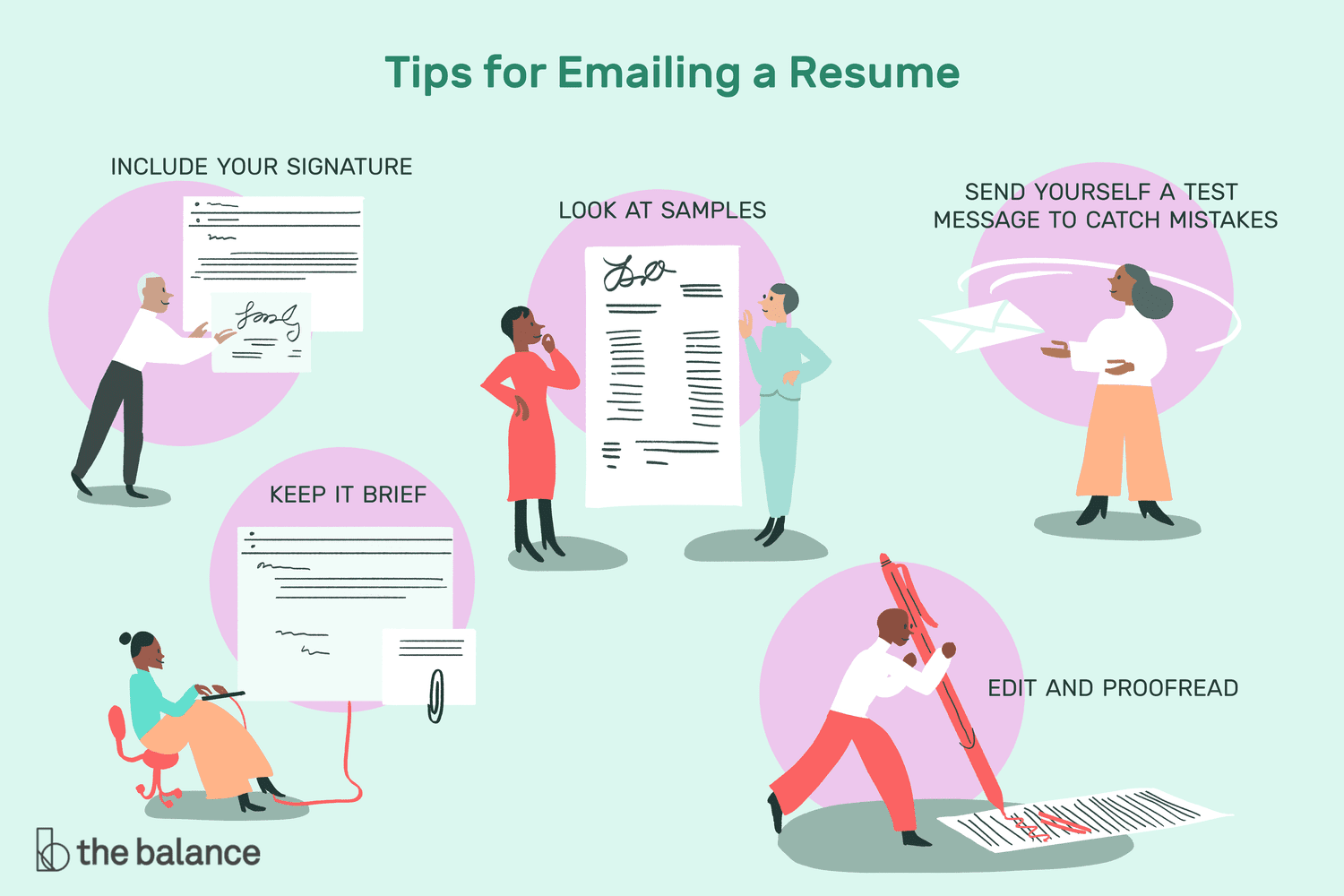
Proofreading is not glamorous, but it is powerful. A resume email with typos can make an employer wonder whether your resume has the same issue. Read your email slowly. Check the spelling of the employer’s name, company name, job title, and your own contact information.
Proofread for:
- Spelling and grammar mistakes.
- Correct recipient email address.
- Correct job title.
- Attached resume and cover letter.
- Professional tone.
- Working portfolio or LinkedIn links.
A useful trick is to send yourself a test email first. Open it on your phone and computer. Make sure the formatting looks clean and the attachments open correctly. If something looks odd to you, it may look odd to the employer too.
Best Resume Email Example
Here is a polished example you can adapt:
Subject: Application for Marketing Coordinator – Jane Smith
Dear Hiring Manager,
I am writing to apply for the Marketing Coordinator position listed on your company website. With experience supporting social media campaigns, writing customer-focused content, and tracking campaign performance, I am excited about the opportunity to contribute to your marketing team.
I have attached my resume and cover letter for your review. Thank you for your time and consideration. I would welcome the opportunity to discuss how my skills and experience align with this role.
Sincerely,
Jane Smith
[email protected]
(555) 123-4567
linkedin.com/in/janesmith
Short Resume Email Example
Sometimes the job posting asks for a very brief email and attached documents. In that case, use something clean and direct:
Subject: Resume for Administrative Assistant Role – Chris Miller
Dear Ms. Anderson,
Please find attached my resume and cover letter for the Administrative Assistant position. I appreciate your consideration and look forward to the possibility of speaking with you.
Best regards,
Chris Miller
[email protected]
(555) 987-6543
Resume Email Example After a Referral
If someone referred you, mention that person early, as long as you have permission to use their name.
Subject: Referral from Alex Brown – Data Analyst Application – Priya Shah
Dear Mr. Williams,
Alex Brown suggested I contact you regarding the Data Analyst opening at your company. My background in Excel reporting, SQL queries, and dashboard development closely matches the role’s requirements, and I am excited to apply.
I have attached my resume and cover letter for your review. Thank you for your time, and I would be grateful for the opportunity to discuss my qualifications.
Sincerely,
Priya Shah
[email protected]
(555) 222-0198
What to Write If You Do Not Have Much Experience
If you are early in your career, do not apologize for being new. Employers hiring entry-level candidates understand that you may not have ten years of experience, three patents, and a Nobel Prize hiding behind your laptop. Focus on transferable skills, coursework, internships, volunteer work, projects, leadership, and enthusiasm for the role.
Example:
As a recent business graduate with internship experience in customer research and data organization, I am excited to apply for the Business Operations Assistant position. My coursework in project management and my volunteer experience coordinating campus events have helped me build strong communication, organization, and problem-solving skills.
This approach is confident without pretending you are more experienced than you are. Honesty plus relevance is a strong combination.
Common Mistakes When Emailing a Resume
Using a Vague Subject Line
“Resume” is too broad. “Job application” is not much better. Include your name and the role so the employer knows exactly what the email is about.
Forgetting the Attachment
This is the classic resume email mistake. It happens to smart people, careful people, and people who just told themselves, “I would never forget the attachment.” Attach the files before writing the body or use your email platform’s attachment reminder if available.
Sending a Generic Message
A generic email feels cold. Add the job title, company name, and a short sentence about your fit. Personalization does not need to be long; it just needs to be real.
Repeating the Entire Resume
The email should introduce your resume, not copy and paste it into paragraph form. Highlight one or two relevant strengths and let the attached documents do the deeper work.
Being Too Casual
A friendly tone is good. Slang, emojis, and “Heyyy” are not. Keep the style warm but professional.
Not Checking the Recipient
Sending your application to the wrong person or misspelling the email address can delay or sink your application. Double-check before sending.
Should Your Cover Letter Be in the Email or Attached?
This depends on the employer’s instructions. If the posting asks for a cover letter attachment, attach it. If you are applying by email and no specific instructions are given, you can use a shorter version of your cover letter in the email body and attach your resume. Some applicants also attach a formal cover letter and keep the email message brief.
The safest rule is this: follow the posting first. If there are no instructions, choose the format that makes the employer’s review easiest. For many roles, attaching both a resume and cover letter as PDFs while writing a concise email is a professional option.
When Should You Follow Up?
If the job posting gives a timeline, respect it. If it says only shortlisted candidates will be contacted, avoid repeated follow-ups. If no timeline is listed, waiting about one to two weeks before sending a polite follow-up is usually reasonable.
Follow-Up Email Example
Subject: Follow-Up on Marketing Coordinator Application – Jane Smith
Dear Hiring Manager,
I hope you are doing well. I wanted to follow up on my application for the Marketing Coordinator position, which I submitted on April 10. I remain very interested in the opportunity and would be happy to provide any additional information.
Thank you again for your time and consideration.
Sincerely,
Jane Smith
Keep follow-ups polite and brief. You are reminding, not chasing someone through the digital hallway with a megaphone.
Checklist Before You Hit Send
- The subject line includes the job title and your name.
- The greeting is professional and correctly spelled.
- The email clearly states the role you are applying for.
- The message is brief, tailored, and polite.
- Your resume file name is professional.
- Your resume and cover letter are attached.
- The attachments open correctly.
- Your phone number and email address are accurate.
- Links to LinkedIn or portfolio pages work.
- You proofread the email at least once.
Experience-Based Advice: What Actually Works When Emailing a Resume
After seeing many resume emails succeed, fail, and wander into inboxes like lost socks, one pattern becomes clear: the best emails are easy to process. Employers are busy. Recruiters may be managing dozens of roles. Hiring managers may be reading applications between meetings. Your job is to remove confusion.
One practical experience is that specificity beats cleverness almost every time. A subject line like “Application for Junior UX Designer – Emily Carter” is not flashy, but it works. The employer can file it, search it, and understand it instantly. A subject line like “Ready to Change the World With Design!” may sound passionate, but it does not say what role you want. Passion is great; clarity pays the rent.
Another lesson is that the email body should match the level of the job. For a corporate role, keep the tone polished and direct. For a creative role, you can show a little more personality, but do not turn the email into a stand-up comedy audition. One light, human sentence is enough. The employer wants to know whether you can do the job, communicate clearly, and follow instructions.
Attachments deserve special attention. A surprising number of applicants hurt their chances by using confusing file names. When a hiring manager downloads twenty resumes, a file named Resume.pdf is not helpful. A file named Jordan-Wells-Resume.pdf is much better. It shows organization and makes the employer’s life easier. Small detail, big impression.
It is also wise to create a reusable but customizable email template. Do not write every application from scratch while staring into space like you are composing a symphony. Build a basic structure, then customize the job title, company name, and one or two relevant achievements. For example, if the job emphasizes customer service, mention your customer support experience. If it emphasizes data, mention reporting, spreadsheets, analytics, or measurable results.
Timing can also matter. You do not need to send your resume at exactly 8:03 a.m. while facing northeast. However, sending applications during normal business hours can make your email look more natural and easier to notice. More important than timing is accuracy. A perfect email sent in the afternoon is better than a rushed email sent at sunrise with the wrong attachment.
One of the most useful habits is to create a final “send ritual.” Before sending, check the subject line, recipient, company name, job title, attachments, and signature. Then open the resume file. Not glance at it. Open it. Confirm it is the right version. This one-minute ritual can prevent the kind of mistake that makes people whisper “oh no” at their screen.
Another experience-based tip: do not oversell. Confidence is good, but phrases like “I am the perfect candidate” can sound exaggerated. Instead, prove fit with specifics: “My experience coordinating weekly reports and managing customer inquiries aligns well with the operations and communication needs of this role.” That sentence is calmer, stronger, and more believable.
Finally, remember that emailing a resume is not just a technical step. It is part of your professional brand. A clean, respectful email says, “I understand workplace communication.” A tailored message says, “I paid attention.” A correct attachment says, “I am organized.” None of these guarantees an interview, but together they make your application easier to trust. In a competitive job market, being easy to trust is a real advantage.
Conclusion
Learning how to email a resume to an employer is one of those job-search skills that seems small until it matters. The right email will not replace a strong resume, but it can help your resume get opened, understood, and taken seriously. Use a professional email address, write a clear subject line, personalize the greeting, keep the message focused, attach properly named files, and proofread before sending.
The best resume emails are not complicated. They are clear, courteous, and useful. They respect the employer’s time while presenting your qualifications with confidence. Do that, and your application starts on the right footpreferably wearing professional shoes.
Note: This article was written for web publication in standard American English and is based on widely accepted U.S. career guidance about professional job application emails, resume attachments, cover letters, proofreading, and employer communication.