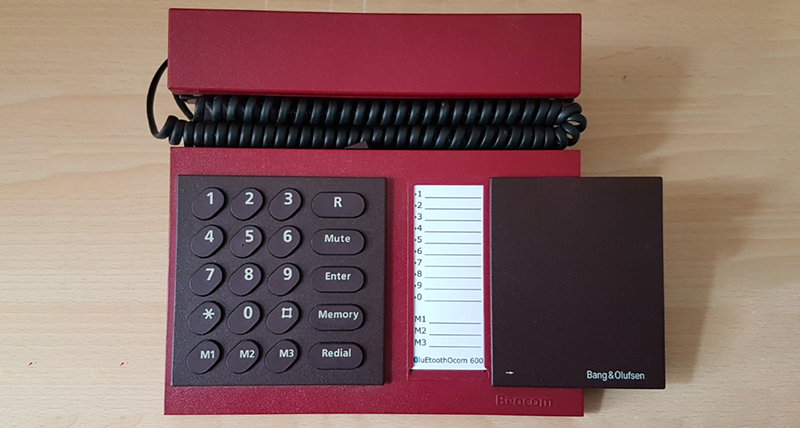
There was a time when making a phone “wireless” meant stretching the curly cord from the kitchen wall all the way to the pantry and hoping nobody tripped over it. Today, a beautiful phone can whisper music to earbuds, share directions with a car, unlock a smartwatch, find a missing tracker, and connect to a speaker across the room without looking like it is trying very hard. That quiet magic is Bluetooth.
“Bluetoothing Beautiful Phones” is not just about turning on a blue icon and hoping your earbuds behave. It is about understanding how modern smartphones use Bluetooth to become more useful, stylish, personal, and secure. Whether you carry an iPhone, a Samsung Galaxy, a Google Pixel, a Motorola, a OnePlus, or another Android device, Bluetooth is one of the invisible features that makes the phone feel finished. It is the digital handshake between your phone and the small universe of accessories around it.
The best part? You do not need to be a radio engineer, app developer, or person who says “codec” at dinner parties to use it well. You just need to know what Bluetooth does, how pairing works, what makes audio quality better, how to avoid annoying connection problems, and how to keep your privacy from wandering off like a sock in a hotel dryer.
What Bluetooth Really Does for Modern Phones
Bluetooth is a short-range wireless technology designed to connect devices without cables. In phone life, it usually handles personal connections: earbuds, headphones, watches, speakers, cars, fitness trackers, keyboards, hearing aids, game controllers, styluses, and item trackers. Wi-Fi is the wide highway. Cellular is the long-distance road trip. Bluetooth is the polite little bridge between your phone and the gadgets standing nearby.
Modern phones typically support two broad Bluetooth worlds: Bluetooth Classic and Bluetooth Low Energy, often called Bluetooth LE. Bluetooth Classic is still important for many audio and legacy accessories. Bluetooth LE is designed for lower power tasks, which is why it works so well for wearables, trackers, health devices, nearby device discovery, and newer audio features. The practical result is simple: your phone can stay connected to useful accessories without draining the battery like a tiny vampire with excellent taste in headphones.
Why Beautiful Phones Need Beautiful Connections
Phone design has become almost architectural. Glass backs, polished frames, thin bezels, curved edges, matte finishes, titanium rails, camera islands, vegan leather backs, foldable screens, and color palettes with names that sound like boutique coffee drinks all compete for attention. Yet a beautiful phone is not only about how it looks on a table. It is also about how elegantly it fits into daily life.
That is where Bluetooth earns its keep. A gorgeous phone becomes more practical when it pairs instantly with earbuds before a commute. It feels smarter when it passes audio from music to a call without chaos. It feels more personal when your smartwatch unlocks notifications, health stats, and quick controls. It feels more cinematic when it sends sound to a portable speaker at a picnic. The phone’s beauty becomes functional, not just decorative.
How Bluetooth Pairing Works Without the Nerd Fog
Pairing is the process of introducing two devices so they can trust each other. Think of it as saying, “Phone, meet headphones. Headphones, please stop blinking like a confused spaceship.” Once paired, many devices remember each other and reconnect automatically.
Pairing on iPhone
On iPhone, the basic process is straightforward. Put the accessory into discovery or pairing mode, open Settings, choose Bluetooth, turn Bluetooth on, and tap the accessory when it appears. Some accessories may ask for a code, while others simply request confirmation. AirPods and many Apple ecosystem devices make this even smoother with pop-up pairing cards and iCloud-based device switching.
Pairing on Android
On Android, open Bluetooth settings, choose the option to pair a new device, select the accessory, and follow the prompts. Many Android phones also support Fast Pair, which uses Bluetooth Low Energy to detect compatible nearby accessories and show a convenient setup prompt. This is especially useful for earbuds, watches, speakers, and other devices that want to pair without sending you through a settings maze worthy of a fantasy novel.
Pairing on Samsung Galaxy Phones
Samsung Galaxy phones follow a similar pattern: open Quick Settings or Settings, turn on Bluetooth, put the accessory in pairing mode, and select it from the available devices. Galaxy Buds, Galaxy Watch models, and other Samsung ecosystem accessories often add smoother setup screens, battery displays, and device controls through Samsung’s companion apps.
The Bluetooth Accessories That Make Phones Feel Premium
A phone becomes more powerful when paired with the right accessory. The trick is choosing devices that match your habits instead of buying every shiny object with a charging case.
Wireless Earbuds and Headphones
Earbuds are the most common Bluetooth accessory for a reason. They are small, convenient, and surprisingly capable. Premium models may include active noise cancellation, transparency mode, spatial audio, low-latency gaming modes, multipoint pairing, voice assistant access, and custom equalizer controls. For many users, earbuds are the first accessory that makes a phone feel truly wireless.
Audio quality depends on the phone, the earbuds, the Bluetooth codec, the app, and the environment. Apple devices focus heavily on their own ecosystem experience with AirPods. Many Android phones support broader codec options, including AAC, LDAC on some models, and Qualcomm aptX technologies on compatible phones and earbuds. Qualcomm’s Snapdragon Sound and aptX family are designed to improve wireless audio quality, connection stability, and latency on supported devices.
Smartwatches and Fitness Trackers
Bluetooth keeps watches and fitness trackers connected to phones for notifications, health data, alarms, quick replies, music controls, and device finding. The best smartwatch connection is almost invisible. You raise your wrist, glance, tap, and move on. No drama. No ceremony. Just tiny convenience wearing a strap.
Portable Speakers
Bluetooth speakers turn phones into party starters, study companions, backyard radios, kitchen DJs, and emergency “please make cleaning less boring” machines. When choosing one, look beyond loudness. Battery life, water resistance, charging port type, microphone quality, stereo pairing, and app support all matter.
Car Audio and Hands-Free Calling
Car Bluetooth is one of the most practical uses of the technology. It supports calls, music, podcasts, navigation prompts, and sometimes contact sharing. The best setup is boring in the best possible way: start the car, phone connects, audio works. If your car asks for permission to access contacts and call history, approve only what you are comfortable sharing.
Keyboards, Controllers, Styluses, and Productivity Tools
Bluetooth is not just for audio. A foldable keyboard can turn a phone into a tiny writing station. A controller can improve mobile gaming. A stylus can support drawing or notes on compatible devices. These accessories are especially useful for students, travelers, creators, and people who insist they can write an entire article on a phone at an airport gate. Some of them actually can. The rest of us need snacks.
Bluetooth Audio: Codecs, Latency, and Why Your Video Looks “Off”
When people complain about Bluetooth audio, they usually mean one of three things: sound quality, delay, or dropouts. Sound quality is affected by the codec, which is the method used to compress and transmit audio. Latency is the delay between what happens on screen and what you hear. Dropouts happen when the connection is interrupted by distance, interference, low battery, weak antennas, or software issues.
For casual listening, most modern earbuds and phones sound good enough for daily use. For gaming, video editing, or movie watching, latency matters more. Some earbuds include low-latency modes, but these often work best when paired with compatible phones. For music lovers, codec support matters, but it is not the only factor. The earbud drivers, tuning, fit, seal, app settings, and source audio quality can matter just as much.
A useful rule: do not buy earbuds only because the box mentions a fancy codec. Buy them because the full experience works with your phone, your ears, your apps, and your life. A premium codec does not help much if the earbuds fit like two slippery beans escaping a salad.
Bluetooth LE Audio and Auracast: The Next Chapter
Bluetooth LE Audio is one of the most important upgrades in modern wireless sound. It is designed to improve efficiency and enable new audio experiences. One of its most exciting features is Auracast broadcast audio. Instead of pairing one phone to one headset in the traditional way, Auracast can allow compatible devices to share or receive audio broadcasts.
Imagine a phone sharing sound with two pairs of earbuds during a train ride. Or a public screen at an airport broadcasting announcements directly to compatible hearing aids or earbuds. Or a gym TV sending audio to anyone who wants to listen without blasting speakers across the room. This is the kind of Bluetooth future that feels less like a cable replacement and more like a new social layer for audio.
Support depends on phone models, operating system versions, earbuds, and regional rollout. That means not every beautiful phone can do every beautiful Bluetooth trick yet. Before buying accessories specifically for LE Audio or Auracast, check compatibility carefully.
Security: Keeping Bluetooth Convenient Without Being Careless
Bluetooth is convenient, but convenience should not mean leaving the digital front door open. Security organizations recommend practical habits: keep phone software updated, avoid unnecessary pairing in public places, remove devices you no longer use, and turn off Bluetooth when you truly do not need it.
Modern Bluetooth includes encryption, authentication, and improved pairing methods, but user behavior still matters. Do not accept random pairing requests from unknown devices. Do not pair with accessories you do not trust. Be careful with public spaces where many devices are nearby. If a device name looks suspicious, generic, or unfamiliar, ignore it. Your phone does not need to become friends with “BT-SPEAKER-9283” at a bus station.
Simple Bluetooth Security Checklist
- Keep iOS, Android, and accessory firmware updated.
- Use Bluetooth only when needed in higher-risk public environments.
- Forget old cars, speakers, earbuds, and devices you no longer use.
- Do not approve unexpected pairing requests.
- Review app permissions for Bluetooth access.
- Use strong lock-screen protection on your phone.
Privacy Settings: The Quiet Side of Bluetooth
Bluetooth access can be used by apps for legitimate reasons, such as connecting to headphones, fitness trackers, medical accessories, smart home devices, or nearby gadgets. However, apps should not get permissions they do not need. On iPhone, Bluetooth permissions can be reviewed in Privacy & Security settings. On Android, nearby device permissions and Bluetooth-related settings vary by version and manufacturer, but they are worth checking.
Think of Bluetooth permission like giving someone a spare key to the garage. Sometimes it makes perfect sense. Sometimes you ask, “Wait, why does this flashlight app need a garage?” Be especially careful with unknown apps, abandoned apps, or apps downloaded from outside official stores.
Common Bluetooth Problems and How to Fix Them
Bluetooth issues are annoying because they often feel personal. The phone sees the earbuds yesterday, ignores them today, and suddenly you are negotiating with a rectangle. Fortunately, most issues have simple fixes.
Problem: The Device Does Not Appear
Make sure the accessory is in pairing mode, charged, and close to the phone. Some devices exit pairing mode after a short time, so restart the process. Refresh the Bluetooth list if your phone offers that option.
Problem: The Device Appears but Will Not Connect
Turn Bluetooth off and on. Restart the accessory. Restart the phone. If that fails, forget the device and pair it again. This clears old pairing information that may be confusing the connection.
Problem: Audio Keeps Cutting Out
Check battery levels, reduce distance, remove obstacles, and move away from crowded wireless environments. Also update the accessory’s app or firmware if available. Earbuds often receive important stability fixes through companion apps.
Problem: The Phone Connects to the Wrong Device
This happens when your phone remembers too many accessories. Disconnect or forget devices you rarely use. If your phone keeps grabbing the car audio while you want private earbuds, adjust auto-connect settings where available or manually select the correct output.
How to Choose Bluetooth Accessories for a Beautiful Phone
The best Bluetooth accessory is not always the most expensive one. It is the one that fits your phone, your routine, and your patience level. Before buying, check compatibility with your operating system. iPhone users often get the smoothest experience from Apple and Beats products, though many third-party earbuds work well. Android users may benefit from Fast Pair, multipoint support, aptX or LDAC compatibility, and deeper app controls from brands that support Android properly.
Battery life matters, but real-world charging convenience matters more. A pair of earbuds with eight hours of listening time sounds great until the case is bulky or uses an outdated cable you never have nearby. Comfort matters too. A beautiful phone paired with painful earbuds is like wearing designer shoes made of office staplers.
Also consider repairability and longevity. Replaceable ear tips, firmware support, water resistance ratings, and a reputable warranty can make a difference. Bluetooth accessories live hard lives. They fall into bags, pockets, couches, cars, gym lockers, and occasionally soup. Choose accordingly.
Design Matters: Matching Style With Function
Phone beauty is subjective, but accessory design affects the whole experience. Minimal earbuds pair nicely with sleek phones. Rugged speakers match outdoor devices and travel setups. Slim watches complement foldables and flagship phones. Even color coordination can make a setup feel intentional.
Still, do not let looks defeat usefulness. A glossy speaker that scratches instantly may not remain beautiful. Tiny earbuds that look elegant but slip out during walking are not elegant; they are escape artists. A smartwatch with a stunning display but poor battery life may become a decorative wrist apology by dinner.
Bluetooth for Accessibility and Everyday Inclusion
One of Bluetooth’s most meaningful roles is accessibility. Wireless hearing aids, audio sharing features, captions paired with earbuds, smart switches, and wearable alerts can make phones more useful to people with different hearing, mobility, or sensory needs. Bluetooth LE Audio and Auracast may expand these possibilities by making public and private listening easier for compatible devices.
This is where “beautiful phones” means more than premium materials. A beautiful phone is one that helps more people participate, listen, communicate, and move through the world with less friction.
Practical Experiences With Bluetoothing Beautiful Phones
After using many phones and Bluetooth accessories over time, one lesson becomes obvious: the best Bluetooth experience feels invisible. It is not the pairing screen that impresses you. It is the moment when you open the earbud case, hear the connection tone, and continue your day without thinking about it. That tiny absence of frustration is luxury.
One everyday example is the morning routine. A phone sits charging on a desk. Earbuds are in their case. You open the case, put the earbuds in, and start a podcast while making coffee. The phone stays on the counter, the audio follows you, and the day begins without a cable catching on a cabinet handle. This is not dramatic technology. No one applauds. But it makes life smoother, and smoothness is underrated.
Another experience involves car Bluetooth. When it works well, it is almost boring: the car starts, the phone connects, navigation speaks clearly, music resumes, and calls route through the speakers. When it works badly, it becomes a comedy sketch. The car connects to an old phone in the back seat. The current phone refuses to share contacts. The audio plays through the handset speaker at the exact moment you need directions. The solution is usually simple: delete old pairings, rename devices clearly, and pair again while parked. A five-minute cleanup can prevent months of dashboard muttering.
Bluetooth speakers show another side of the experience. A small waterproof speaker can make a picnic, study session, dorm room, or backyard hangout feel more alive. The key is respecting the setting. Great Bluetooth etiquette means keeping the volume friendly in shared spaces. Your playlist may be magnificent, but strangers at a park did not buy tickets to your personal festival. A beautiful phone paired with a speaker should bring atmosphere, not declare audio war.
Smartwatches create a quieter kind of value. The phone can stay in a pocket while the watch handles quick notifications, timers, alarms, workouts, and music controls. This is especially helpful during exercise, cooking, studying, commuting, or walking. The connection is not glamorous, but it reduces phone-checking. Ironically, one of the best things Bluetooth can do for a phone is help you look at the phone less.
There is also the travel experience. Bluetooth earbuds can make airports, buses, trains, and hotel rooms more comfortable. Noise cancellation helps soften background chaos. A compact keyboard can turn a phone into a writing device. A tracker can help locate a bag. A portable speaker can make a hotel room feel less like a beige rectangle of temporary existence. But travel also teaches security discipline. Public places are full of nearby devices, so it is wise to avoid random pairing requests and remove old accessories when they are no longer needed.
The most frustrating experience is the mystery connection. You press play and hear nothing. The phone says audio is playing. The earbuds are silent. Then you discover the sound is going to a speaker in another room, probably entertaining a confused family member or pet. The fix is usually to open the audio output menu and select the correct device. The prevention is naming devices clearly: “Alex Earbuds,” “Kitchen Speaker,” “Car Bluetooth,” and “Work Headset” are much better than five devices named “SoundPro.” Bluetooth is easier when your accessories introduce themselves properly.
For content creators, Bluetooth can be both useful and limiting. Wireless earbuds are great for monitoring casual audio, taking calls, and recording quick voice notes. However, for serious video production or music work, latency and microphone quality still matter. A wired microphone or dedicated wireless mic system may be better for polished work. The beautiful phone can do a lot, but it should not be forced to perform every job with the same accessory.
The biggest long-term lesson is compatibility. Before buying earbuds, watches, or smart accessories, check whether the features you want actually work with your phone. Basic Bluetooth audio is widely compatible, but advanced features are often ecosystem-specific. AirPods work best with Apple devices. Galaxy Buds often work best with Samsung phones. Pixel Buds fit naturally into Google’s Android world. Many third-party brands support both platforms, but details matter. Multipoint, spatial audio, app controls, firmware updates, low-latency modes, and high-resolution codecs may vary.
In the end, Bluetoothing beautiful phones is about building a small ecosystem that feels effortless. The phone is the center, but the accessories create the experience. Choose carefully, update regularly, pair securely, and name your devices like a civilized human. Do that, and Bluetooth becomes what it should be: quiet, useful, stylish, and just a little bit magical.
Conclusion
Bluetooth has grown from a simple cable replacement into one of the most important features in modern smartphones. It connects beautiful phones to audio, wearables, cars, speakers, accessibility tools, productivity gear, and emerging broadcast audio experiences. The best Bluetooth setup is not about owning the most gadgets. It is about choosing compatible accessories, understanding pairing, protecting privacy, fixing small problems quickly, and letting the phone disappear into the rhythm of daily life.
A beautiful phone deserves beautiful connections. With the right Bluetooth habits, your smartphone becomes more than a screen in your hand. It becomes a personal hub for sound, movement, communication, creativity, and convenience. And when everything connects on the first try? That is not just technology. That is poetry with a battery percentage.
Note: This HTML body is written for web publishing, with factual guidance synthesized from reputable technology, device-support, and cybersecurity references. No source links or citation placeholders are included inside the article content.