Product-led growth sounds wonderfully simple: build a useful product, let people try it, and watch happy users roll downhill into paid plans like a very profitable snowball. Reality is slightly messier. Users get distracted, skip important setup steps, overlook valuable features, and occasionally vanish after clicking “Create account” with the enthusiasm of someone abandoning a gym membership.
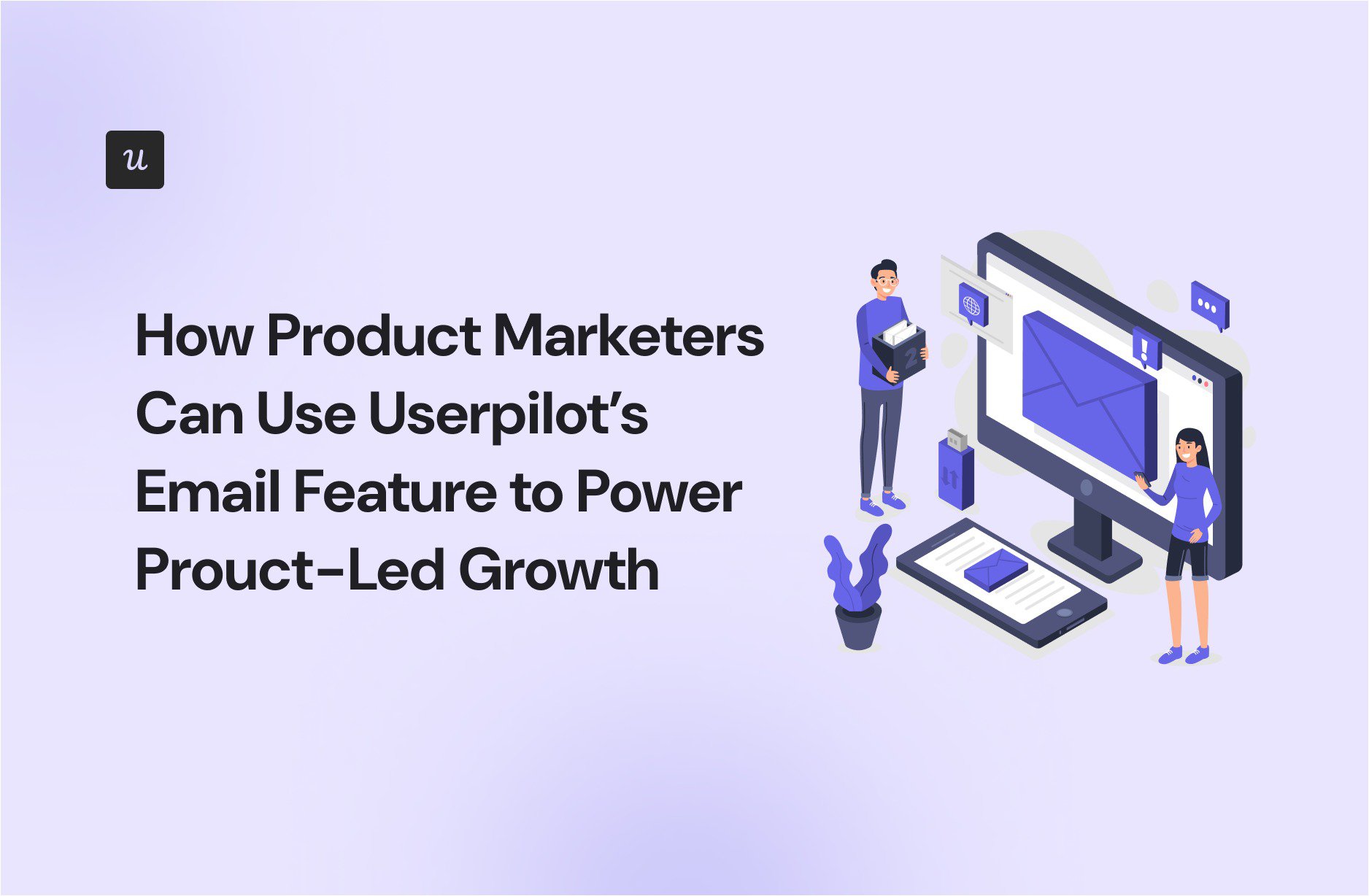
That is where Userpilot’s Email feature can help product managers. Instead of treating email as a separate marketing megaphone, PMs can connect messages to real product behavior. An email can respond to something a user completed, failed to complete, ignored, or may be ready to try next.
As of August 4, 2026, Userpilot supports behavior-triggered lifecycle emails, segment broadcasts, dynamic personalization, localization, no-code email creation, cross-channel Workflows, and product-outcome reporting. Growth and Enterprise plans also include up to 100,000 email sends per month, according to Userpilot’s current product information.
Why Email Still Matters in a Product-Led Growth Strategy
In a product-led business, the product is the primary engine for acquisition, activation, retention, and expansion. Users are expected to experience value directly rather than waiting for a sales representative to explain that value through a 47-slide presentation titled “Digital Transformation Synergy.”
That does not mean every interaction must happen inside the application. Product-led growth works best when teams reduce friction, deliver value early, and coordinate product, marketing, customer success, and sales around user outcomes. Email becomes useful when it supports that product experience rather than competing with it.
Email Reaches Users When They Are Outside the Product
In-app messages are ideal when someone is actively using a feature. Email is better when the user has left, forgotten to return, needs a detailed explanation, or must involve another stakeholder. A stalled user cannot see your beautifully designed tooltip if the application has not been opened in nine days.
The practical answer is not “email or in-app.” It is “email when email is useful, in-app when context is useful, and please do not send both six times before lunch.” Cross-channel lifecycle strategies coordinate each touchpoint using shared behavioral data so that activity in one channel influences what happens in another.
What Makes Userpilot’s Email Feature Useful for PMs?
Real-Time Behavioral Segmentation
Userpilot can target users according to in-app events, attributes, segments, and lifecycle stages. Its segments update from live user data, which means a user can enter or leave an audience as behavior changes rather than waiting for someone to export another spreadsheet called final_users_v8_REALLY_FINAL.csv.
This matters because behavioral cohorts are generally more actionable than broad demographic groups. Knowing that someone is a 38-year-old operations manager is mildly interesting. Knowing that the person invited three teammates, connected an integration, and returned four times this week is a much stronger signal of product intent. Product analytics practices use these behavioral groups to identify which actions correlate with activation, conversion, and retention.
No-Code Email Creation and Personalization
PMs can create messages with Userpilot’s drag-and-drop builder or start from templates. Dynamic attributes can personalize content with details such as the user’s name, plan, or usage information, while localization helps teams adapt messages for different markets. Reusable branding and signatures can keep the result recognizable without turning every campaign into a miniature design project.
The goal is not to prove that your database knows the recipient’s first name. Effective personalization changes the message according to the user’s situation. A new administrator may need setup guidance, while an active team member may need help discovering a more advanced workflow. Dynamic segmentation and lifecycle context make that distinction possible.
Unified Email and In-App Workflows
Userpilot Workflows can place email, in-app experiences, and surveys on one journey canvas. PMs can branch that journey according to behavior, attributes, timing, enrollment, or completion conditions. This allows the product experience to respond when users move forward instead of blindly continuing a fixed drip sequence.
For example, an onboarding workflow might send a welcome email, show a checklist during the next session, wait for an integration event, and then send additional guidance only if the integration remains incomplete. Once the user finishes the task, the reminder branch should stop. Congratulations: the automation noticed success and resisted the urge to keep nagging.
Measurement Beyond Opens and Clicks
Traditional email reporting tends to stop at delivery, open, and click rates. Those metrics are useful for diagnosing message performance, but they do not prove that users obtained value.
Userpilot reports email delivery, bounce, open, click, unsubscribe, and step-level conversion data alongside in-app behavior. PMs can therefore evaluate whether a campaign contributed to activation, feature adoption, retention, or another defined product goal.
Seven PLG Campaigns Product Managers Can Build
1. Rescue Users Who Stall Before Activation
Start by defining the event that represents initial value. For a reporting platform, it might be publishing the first dashboard. For collaboration software, it could be inviting a teammate and completing a shared task.
Create a segment for users who signed up but did not complete that activation event within a reasonable period. The email should focus on the unfinished outcome, not provide a museum tour of every feature.
A useful message might say, “Your workspace is ready. Connect your data source to create your first report.” The call to action should deep-link users to the exact step they need to complete.
2. Reinforce the First Value Moment
Once a user reaches activation, acknowledge the progress and introduce the next logical action. This turns onboarding into a sequence of meaningful outcomes instead of one oversized tutorial that users speed through like airport security.
For example, after someone publishes a first dashboard, the next email could encourage scheduling an automated report. The trigger is not “three days after signup.” It is “the user completed the prerequisite action and is now ready for more value.”
3. Drive Adoption of Underused Features
Identify a feature associated with stronger retention or more advanced use. Then target active users who meet the prerequisites but have not adopted it.
An expense-management application might email account owners who approve expenses regularly but have not created approval rules. The message can explain the time-saving outcome, link to the feature, and coordinate with an in-app walkthrough when the user returns.
This approach is more relevant than emailing the entire database about every new button. Product adoption means helping users repeatedly achieve value, not merely persuading them to visit a feature once.
4. Convert High-Intent Trial Users
Build segments around product-qualified signals such as repeated use of a core workflow, collaboration activity, integration setup, usage-limit proximity, or engagement from multiple people within one account.
A trial-conversion email should connect the upgrade to demonstrated value. “Upgrade because your trial ends Friday” is technically accurate but emotionally similar to a parking ticket. “Your team created 14 automated reports this week; upgrade to keep the schedule running” is specific and outcome-oriented.
5. Re-Engage Dormant Users
Do not define dormancy with a single universal number. A daily scheduling tool and a quarterly compliance platform have very different natural usage rhythms.
Segment users who were previously active but have fallen below the expected frequency for their role or use case. Then remind them of unfinished work, saved results, recent progress, or a feature that helps them return to value quickly.
The best win-back message offers a relevant reason to return. “We miss you” may be charming, but software does not actually sit by the window staring into the rain.
6. Support Expansion Inside Active Accounts
Expansion campaigns should respond to demonstrated need. Useful triggers may include approaching a usage limit, inviting more teammates, adopting several advanced features, or repeatedly attempting an action reserved for a higher plan.
PMs can use different messages for the end user, administrator, and economic buyer. The user may care about completing a task, the administrator may care about governance, and the buyer may care about productivity or cost. One generic upgrade email rarely persuades all three.
7. Announce Features to Relevant Users
Userpilot also supports broadcasts that do not require a behavioral trigger. PMs can announce a feature, product change, event, or educational resource to a selected segment.
The word “selected” is doing important work. A new Salesforce integration matters to users who rely on Salesforce or have requested CRM connectivity. It matters considerably less to a two-person bakery using your software to schedule cupcake deliveries.
A Practical Workflow for Launching Your First Campaign
Step 1: Choose One Product Outcome
Begin with a measurable behavior such as connecting an integration, completing a project, inviting a teammate, adopting a feature, returning after inactivity, or upgrading a workspace. Avoid vague objectives like “increase engagement.” Engagement with what, by whom, and why?
Step 2: Define the Eligible Audience
Use a combination of behavioral, contextual, and lifecycle criteria. Include the users who need the message and explicitly exclude those who have already completed the desired action.
Suppression logic is one of the least glamorous parts of lifecycle marketing and one of the most important. Nothing says “our personalization engine is thriving” like asking someone to complete a task they finished yesterday.
Step 3: Select the Right Trigger
Choose an action, missing action, milestone, inactivity window, or segment entry condition. Behavioral triggers usually create more relevant communication than rigid schedules because they respond to the user’s actual journey.
Step 4: Coordinate Email With the Product Experience
Use email to restore attention, explain value, summarize progress, or bring inactive users back. Use in-app guidance to help them act once they return. A long explanation may belong in an email; a three-step walkthrough belongs beside the interface it explains.
Step 5: Write Around the User’s Job
A strong PLG email usually contains one situation, one benefit, and one primary action. Describe the outcome in the language users understand rather than the terminology your internal team uses during sprint planning.
“Configure asynchronous data orchestration” may be technically impressive. “Automatically sync new orders every hour” is more likely to earn a click.
Step 6: Add Communication Guardrails
Userpilot offers tools such as throttling, frequency caps, suppression lists, testing, previews, scheduling, multi-domain sending, and dedicated IP options. PMs should use these controls to prevent overlapping campaigns and protect the user experience.
Step 7: Measure Product Behavior After the Click
Monitor email metrics, but judge the campaign by its product outcome. Compare recipients with a suitable control group where possible. Review how many eligible users completed the target event, how quickly they did so, and whether the behavior persisted.
Metrics PMs Should Track
- Delivery and bounce rate: Can the message reliably reach the intended audience?
- Open rate: Did the sender and subject create enough interest to earn attention?
- Click-through rate: Did the content motivate users to return to the product?
- Target-event conversion: Did recipients complete the intended product action?
- Time to value: Did the campaign help users reach a meaningful outcome faster?
- Feature adoption: Did users begin and continue using the promoted capability?
- Retention or reactivation: Did previously inactive users return and remain active?
- Unsubscribes and negative signals: Is the campaign creating fatigue or mistrust?
Clicks are diagnostic metrics. Product outcomes are decision metrics. A campaign with a modest click rate can still be valuable if those clicks produce high-quality activation. A campaign with a spectacular open rate and no behavioral change is mostly a well-attended parade.
Common Mistakes to Avoid
Sending Calendar-Based Drips Without Behavioral Logic
“Day three” tells you how long the account has existed. It does not tell you what the user understands, needs, or has accomplished. Time-based steps can still be useful, but behavior should determine whether the message remains relevant.
Using Email to Replace a Confusing Product
If hundreds of users need an email explaining where the save button is, the problem may not be email copy. Lifecycle messaging can reduce friction, but it should not become permanent scaffolding around poor interface design.
Overpersonalizing the Message
Use behavioral data to improve relevance without reciting every action the system observed. “Here is the next step for your workspace” feels helpful. “We noticed you opened the billing page three times at 11:42 p.m.” feels like the beginning of a low-budget thriller.
Optimizing Only for Email Engagement
Subject-line tests are useful, but PMs should prioritize experiments that influence activation, adoption, conversion, and retention. The winning email is not necessarily the one that collects the most clicks; it is the one that creates the most valuable behavior.
Field Experience: What PMs Learn After Running Behavior-Based Email Campaigns
The first lesson is that audience design usually matters more than clever copy. Teams often spend hours debating whether a subject line should say “Finish your setup” or “You’re almost there.” Meanwhile, the campaign is targeting users who finished setup last Tuesday. The copy is not the emergency. The segment is on fire.
A practical PM begins by validating the event data. Does “integration connected” fire only after a successful connection, or does it fire when someone merely opens the integration screen? Does “invited teammate” mean an invitation was sent, accepted, or both? Campaign logic built on unreliable events produces unreliable experiences with impressive automation speed.
The second lesson is that the smallest useful campaign is often the best starting point. Instead of building a 14-email onboarding opera, choose one meaningful bottleneck. Target users who encounter it, send one focused message, and measure whether they complete the desired action. Once that loop works, expand carefully.
The third lesson is that successful campaigns must know when to stop. Suppose a user receives an email about creating a first project, returns to the application, and creates one. The workflow should remove that user from the reminder path immediately. Continuing the sequence makes automation feel less like assistance and more like a smoke alarm with a newsletter.
PMs also discover that the right channel depends on the user’s state. Someone actively working in the product may respond best to a contextual tooltip or checklist. Someone who has not returned for a week may need an email. Someone who completed an advanced action may need no message at all. Silence is an underrated personalization strategy.
Another important lesson involves account-level behavior. In B2B products, one person’s activity may not tell the whole story. An end user might be highly engaged while the administrator has not completed security configuration. Five teammates may be active while the account owner is approaching a plan limit. Effective campaigns distinguish between user-level and account-level signals and tailor the message to the recipient’s responsibilities.
Finally, experienced PMs treat every campaign as a product experiment. They document the hypothesis, audience, trigger, message, expected behavior, success metric, and stopping rule. They compare results with an appropriate baseline and review negative signals alongside conversions.
This mindset changes email from a publishing task into a learning system. Even a disappointing campaign becomes useful when it reveals that the trigger was late, the proposed feature was irrelevant, the audience was too broad, or the product itself contained more friction than expected. The real power of Userpilot’s Email feature is therefore not the number of messages a team can send. It is the speed with which product managers can connect user behavior to intervention, measure the result, and improve the journey.
Conclusion
Userpilot’s Email feature gives product managers a practical way to extend the product experience beyond the application. Live behavioral segments, personalized emails, cross-channel Workflows, frequency controls, and product analytics allow teams to contact users according to what they actually need rather than where they happen to sit in a generic calendar sequence.
The most effective strategy is simple: identify a meaningful product outcome, locate the behavioral gap preventing users from reaching it, send one relevant message, coordinate the return experience inside the product, and measure what users do next.
Email should not become a louder substitute for product value. Used thoughtfully, it becomes a bridge back to that valueand a powerful lever for activation, adoption, retention, conversion, and expansion.