Note: App features, content libraries, pricing, and parental controls can change. Before handing a device to a child, review the app’s current settings, age filters, privacy options, and offline-download rules.
Finding a great video streaming app for kids can feel a little like packing a lunchbox for a picky eater. You want something wholesome, fun, age-appropriate, easy to open, hard to accidentally wander out of, and ideally not full of digital junk food disguised as “one more episode.” The good news? Parents today have more child-focused streaming options than ever, from educational classics to movement videos that get kids off the couch before the couch files a long-term residency claim.
The best video streaming apps made just for kids do more than keep young viewers quiet for twenty minutes while dinner becomes “almost ready” for the third time. They offer curated libraries, simple navigation, parental controls, age filters, educational value, and a viewing experience designed for children rather than adapted from an adult entertainment platform. Some are free. Some are ad-supported. Some focus on preschool learning, while others are better for elementary-age kids who want music, animals, crafts, comedy, or gentle adventure.
Below are five of our favorite kids streaming apps worth considering for family screen time. This list focuses on real services with strong kid-centered design, recognizable content, and practical features parents actually care about: safety, quality, ease of use, and whether the app can survive a rainy Saturday without everyone losing their marbles.
What Makes a Kids Streaming App Worth Downloading?
Not every app with cartoons deserves a spot on your child’s tablet. A reliable kids video app should make it easy for parents to guide what children watch, reduce the chance of inappropriate content, and give kids a library that feels exciting without becoming a bottomless pit of autoplay chaos.
Look for age-appropriate curation
The strongest kids streaming apps organize videos by age, learning level, theme, or developmental stage. That matters because a preschooler who loves counting songs does not need the same content as a nine-year-old who wants science experiments, animal facts, or Minecraft-style videos. Good curation saves parents from playing detective every time a thumbnail looks suspiciously loud.
Check parental controls before the first stream
Parental controls are not just a “nice extra.” They are the digital equivalent of childproof cabinet locks. Look for options such as watch timers, content blocking, profile settings, age filters, search controls, autoplay toggles, and viewing history. Even on kid-focused apps, no system is perfect, so a few minutes in settings can prevent plenty of future “Wait, what are you watching?” moments.
Balance entertainment with learning
Children do not need every second of screen time to feel like homework wearing a party hat. Still, the best kids streaming apps usually offer something valuable: literacy practice, emotional learning, music, movement, creativity, nature, problem-solving, or simple storytelling. The goal is not to turn cartoons into a standardized test. The goal is to make screen time feel a little more nourishing.
1. PBS KIDS Video: Best for Educational Classics Parents Already Trust
If kids streaming apps had a dependable neighborhood librarian, PBS KIDS Video would be wearing the cardigan. It is one of the most parent-friendly video apps for young children because it focuses on educational programming from PBS KIDS series, including shows that support early literacy, social-emotional skills, science curiosity, problem-solving, and kindness. In other words, it is the rare app that can make screen time feel less like a surrender flag and more like a sensible parenting tool.
PBS KIDS Video is especially strong for preschoolers and early elementary children. Its library commonly includes full episodes, clips, and shorts from familiar shows such as Daniel Tiger’s Neighborhood, Wild Kratts, Curious George, Sesame Street, Lyla in the Loop, and other PBS KIDS favorites. The tone is gentle, the pacing is usually calmer than many online video platforms, and the educational goals are baked into the storytelling rather than taped on at the end like a broccoli sticker.
Why parents like it
The biggest advantage is trust. PBS has built its children’s programming around learning and public-service media, so parents often feel more comfortable letting younger kids explore. The app is designed to be child-friendly, and many videos include captioning or Spanish-language options, depending on the title and platform. Some versions also allow episode downloads for offline viewing, which can be a lifesaver during travel, waiting rooms, or family visits where the Wi-Fi password is treated like state intelligence.
Best for
PBS KIDS Video is best for toddlers, preschoolers, kindergarteners, and early elementary kids who enjoy story-based learning. It is a strong pick for families who want educational kids videos without a complicated subscription decision.
Keep in mind
The app is not built for older tweens looking for fast-paced creator content, gaming videos, or trendy entertainment. That is a feature, not a flaw. PBS KIDS Video knows its lane and stays in it beautifully.
2. YouTube Kids: Best for Variety, With Parent Supervision
YouTube Kids is probably the most famous kids video app on the planet, and for good reason: the content variety is enormous. Children can find songs, crafts, science videos, toy play, storytelling, cartoons, animals, drawing tutorials, and plenty of “how did my child discover this before breakfast?” content. The app was created to offer a more contained environment than regular YouTube, with child profiles, age settings, blocking tools, timers, and parent-managed content options.
Its biggest strength is also its biggest challenge. YouTube Kids has a massive supply of videos, which means families can find excellent educational channels and creative content. But because the platform relies heavily on filtering systems, signals, and content categorization, parents should not treat it like a completely hands-off babysitter. Think of it as a big indoor playground: safer than the parking lot, yes, but you still look up from your coffee.
Why parents like it
YouTube Kids gives parents several ways to shape the experience. Depending on setup, parents can choose age-based content levels, disable search, block videos or channels, set screen-time limits, pause history, and create separate profiles for different children. For families who want more control, the “approved content only” option can be especially useful because children can watch only the videos, channels, or collections a parent has selected.
Best for
YouTube Kids works well for families who want variety and are willing to set boundaries. It is especially useful for children who love music videos, drawing lessons, simple science demonstrations, kid-friendly creators, read-alouds, and hobby-based content.
Keep in mind
Parents should review settings carefully and check viewing history. For younger kids, turning off search or using approved-only content can make the app feel much safer and less random. Also, autoplay deserves suspicion. Autoplay is how “one dinosaur song” becomes a 47-minute expedition into glitter slime economics.
3. Kidoodle.TV: Best Free Safe Streaming App With a TV-Like Feel
Kidoodle.TV is a kid-focused streaming service built around its “Safe Streaming” approach. It offers a large library of child-friendly shows, movies, and short-form videos, and it is available on many devices, including mobile apps, tablets, connected TVs, streaming sticks, and smart TV platforms. For families looking for a free kids streaming app that feels more like a traditional streaming service, Kidoodle.TV is one of the strongest options.
The platform features a mix of familiar characters, animated series, educational shows, and entertainment videos. It is ad-supported, but the service emphasizes kid-safe viewing and human screening. That last point matters because many parents prefer apps where content is reviewed before it reaches children rather than relying entirely on algorithms to sort the toy box.
Why parents like it
Kidoodle.TV includes parental tools such as time limits, bedtime settings, and viewing insights on supported devices. It also offers a broad catalog without requiring a subscription or credit card for basic access. That makes it attractive for households trying to reduce streaming costs while still giving kids something age-appropriate to watch.
Best for
Kidoodle.TV is a good fit for preschoolers through elementary-age children who want a mix of cartoons, animals, music, popular kid-safe characters, and light entertainment. It is also useful for families who want a free alternative to subscription-based kids streaming services.
Keep in mind
Because Kidoodle.TV is ad-supported, parents should preview the ad experience and decide whether it fits their household rules. Some families are perfectly fine with limited advertising; others prefer ad-free streaming, especially for very young children who believe every commercial is a legally binding shopping request.
4. HappyKids: Best Free App for a Big Library of Kid-Friendly Videos
HappyKids is another free video streaming app designed for children and families. It offers a large library of kid-friendly videos, including cartoons, movies, learning videos, nursery rhymes, crafts, music, stories, and popular children’s characters. The app is available across mobile devices, tablets, connected TVs, and streaming platforms, which makes it convenient for families who watch on more than one screen.
One of HappyKids’ biggest appeals is volume. The library is large enough to cover different moods: a preschool singalong before lunch, a cartoon during quiet time, a craft video on a rainy afternoon, or a family-friendly movie when everyone agrees that leaving the house is simply not in the cards. The app also organizes content by age groups and categories, making it easier for kids to find something suitable without wandering through an endless maze.
Why parents like it
HappyKids is free, easy to access, and built around child-safe entertainment. It includes parental-control features that can help restrict content by topics, themes, interests, or individual programs, depending on the device and version. For families who want lots of options without adding another monthly subscription, HappyKids can be a practical addition to the app lineup.
Best for
HappyKids is best for families who want a broad, free kids streaming app with a little bit of everything: cartoons, songs, learning clips, family movies, and themed channels. It may work especially well for households with multiple children at different ages because the library covers a wide range of interests.
Keep in mind
As with any free, ad-supported service, parents should test the app first. Watch a few videos, check the categories, review parental controls, and make sure the viewing flow matches your comfort level. Free is wonderful, but “free and supervised” is usually better than “free and mysterious.”
5. Sensical: Best Expert-Curated Free Streaming for Ages 2–10
Sensical is a free kids streaming app backed by Common Sense Networks, with a strong focus on expert-reviewed, age-appropriate videos. It is designed specifically for children, often grouped around ages 2–10, and it emphasizes curation by child development experts rather than open-ended user-generated content. For parents who want a safer-feeling alternative to giant video platforms, Sensical is worth a serious look.
The app includes educational and entertaining videos across themes such as animals, science, crafts, creativity, gaming-inspired content, music, and popular kid-friendly shows. Its design aims to give children the fun of discovering videos while keeping the experience more controlled and developmentally appropriate. That is a tough balance to pull off, because kids want discovery and parents want guardrails. Sensical tries to offer both without turning the app into a digital hallway monitor with a whistle.
Why parents like it
Sensical’s biggest selling point is expert curation. The service says videos are reviewed for safety and age appropriateness, and it does not operate like a wide-open upload platform. It also provides a free streaming option, which makes it easier for families to try without committing to another monthly bill.
Best for
Sensical is best for preschool and elementary-age children who enjoy short videos, themed channels, learning content, and safe discovery. It is a strong option for parents who want something more curated than general online video apps but more varied than a single-network app.
Keep in mind
Content availability can vary by device and region, so check whether Sensical supports your preferred platform. Parents should also review the app’s controls, categories, and viewing experience before making it a go-to choice.
Quick Comparison: Which Kids Streaming App Should You Choose?
| App | Best For | Cost Style | Parent-Friendly Strength |
|---|---|---|---|
| PBS KIDS Video | Preschool and early elementary educational shows | Free | Trusted learning-focused programming |
| YouTube Kids | Huge variety and interest-based videos | Free with optional premium benefits | Flexible parental controls and approved-only options |
| Kidoodle.TV | Free TV-style streaming for kids | Free, ad-supported | Human-screened content and family tools |
| HappyKids | Large library of cartoons, songs, and learning videos | Free, ad-supported | Age-based categories and broad availability |
| Sensical | Expert-curated videos for ages 2–10 | Free | Age-appropriate curation by child development experts |
How to Make Kids Streaming Safer and Smarter
Even the best kids video apps work better with family rules. A safe app is helpful, but it cannot replace the judgment of a grown-up who knows that one child can handle mild cartoon suspense while another needs emotional support because a sandwich was cut into triangles.
Create profiles for each child
When an app allows child profiles, use them. Profiles help separate recommendations, age settings, viewing history, and content restrictions. A four-year-old and a nine-year-old may share a bunk bed, snacks, and an impressive ability to leave socks in hallways, but they should not always share the same video feed.
Preview before you approve
Spend ten minutes exploring the app before giving it to your child. Search for favorite topics, test autoplay, open the settings menu, and play a few videos all the way through. This quick preview can reveal whether the app feels calm, chaotic, educational, commercial-heavy, or simply not right for your family.
Use timers and stopping points
Children handle screen time better when the ending is predictable. Instead of “Turn it off now,” try “After this episode, we are done,” or use a built-in timer when available. A clear stopping point reduces arguments and gives kids a chance to transition without feeling like someone pulled the plug on their entire tiny universe.
Watch together when possible
Co-viewing is one of the easiest ways to improve screen time. Ask questions, laugh at the silly parts, connect the video to real life, or invite kids to act out what they watched. A nature clip can turn into backyard bug hunting. A music video can become a dance party. A Daniel Tiger lesson can become a surprisingly useful family catchphrase.
Experience Notes: What Families Often Learn After Trying Kids Streaming Apps
After testing different kids streaming apps in real family routines, one thing becomes obvious: the “best” app depends less on the app store rating and more on the child, the parent, the moment, and the household rules. A calm preschooler who loves songs may thrive with PBS KIDS Video or Super Simple-style content. A high-energy elementary-school child may need GoNoodle-style movement videos before math homework or after a long car ride. A curious kid who asks twelve questions before breakfast may love Sensical’s themed videos or YouTube Kids channels that explain animals, space, drawing, and science.
Parents also learn that app design matters. Big buttons, simple categories, and clear age groups reduce frustration. A child who cannot read yet can still navigate a well-designed app using character images and thumbnails. That independence can be helpful, especially when a parent is cooking, folding laundry, or attempting the advanced domestic sport known as “finding the other shoe.” But too much independence inside a poorly filtered app can create problems, which is why setup matters so much.
One practical experience many families share is that free apps are not all the same. PBS KIDS Video feels different from an ad-supported service because its public-media style is calmer and more educational. Kidoodle.TV and HappyKids offer more variety, but parents may want to preview ads and categories. YouTube Kids offers almost endless choices, but it benefits from tighter parental controls, especially for younger children. Sensical sits in an appealing middle ground for families who want discovery without a wide-open platform.
Another lesson: children often rewatch the same videos. Adults may wonder how one human can watch the same song about colors 19 times and still react like it just premiered at Sundance. Repetition, however, is normal for young kids. Rewatching can build language, memory, confidence, and emotional comfort. The trick is choosing repeat-worthy content. A gentle counting song? Great. A frantic video with screaming sound effects and mystery candy? Maybe not before bedtime unless your evening plan includes chaos jazz.
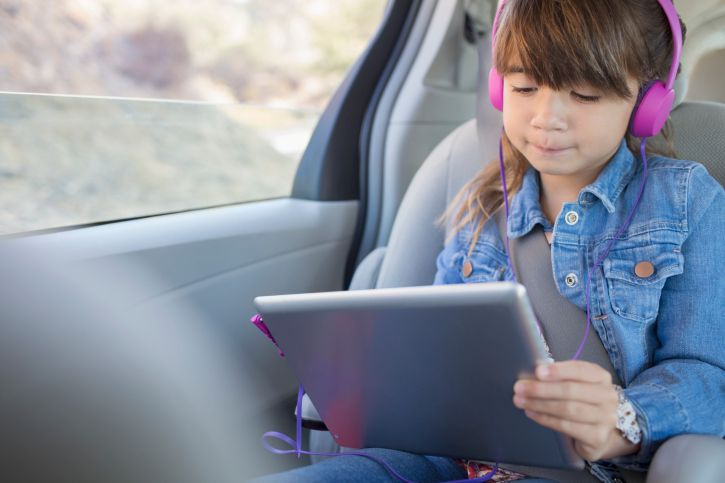
Travel is where kids streaming apps become true heroes. Downloadable episodes, offline access, or reliable short videos can make airports, road trips, hotel rooms, and long restaurant waits more manageable. Parents should download content before leaving home, pack headphones, and choose calmer shows for overstimulating environments. A peaceful episode of Daniel Tiger or an animal video can be a better travel companion than a loud, fast-paced playlist that turns the back seat into a tiny nightclub.
Finally, families often discover that screen time works best when it has a purpose. Use PBS KIDS Video for learning, GoNoodle-type videos for movement breaks, Sensical for safe discovery, HappyKids for free variety, Kidoodle.TV for TV-style browsing, and YouTube Kids for carefully guided interests. No single app has to do everything. A small, thoughtful mix can give children choice while keeping parents in control.
The best experience comes from treating kids streaming apps like tools, not trophies. Install what fits your child. Delete what does not. Revisit settings often. Watch together sometimes. Laugh when the same song gets stuck in your head for three business days. And remember: a good kids streaming app should support family life, not take over the living room like a cartoon raccoon with a remote.
Conclusion
The best video streaming apps made just for kids combine entertainment, safety, learning, and parent-friendly controls. PBS KIDS Video is the top choice for trusted educational programming, while YouTube Kids offers unmatched variety when parents use strong settings. Kidoodle.TV and HappyKids are excellent free options for families who want broad libraries without another subscription, and Sensical stands out for expert-curated, age-appropriate discovery.
No app is perfect, and no parental control replaces real-world supervision. Still, the right kids streaming app can turn screen time into something more useful, calmer, and easier to manage. Choose based on your child’s age, interests, attention span, and your comfort level with ads, search, autoplay, and recommendations. With a little setup, kids can enjoy fun videos while parents enjoy something equally magical: fewer surprises.