Realizing your Yahoo account has been hacked is a special kind of modern panic. One minute you are checking coupons, old travel confirmations, or that one email from 2014 you swear you still need. The next minute, your contacts are getting strange messages, your password no longer works, and your inbox is behaving like it joined a tiny cybercrime circus.
The good news is that a hacked Yahoo account is not always the end of the story. In many cases, you can recover access, secure your Yahoo Mail, remove suspicious settings, and keep the attacker from sneaking back in. The key is to move quickly, stay calm, and use Yahoo’s official recovery tools rather than random “account recovery experts” who magically appear when you search for help.
This guide explains how to recover a hacked Yahoo account, what to check after you get back in, how to protect your other accounts, and how to prevent the same problem from happening again. Think of it as a digital cleanup checklist with fewer alarms and more common sense.
How Do You Know Your Yahoo Account Was Hacked?
Before you start changing everything in sight, it helps to confirm the warning signs. A compromised Yahoo account often leaves clues. Some are obvious, like being locked out. Others are sneakier, like a forwarding rule quietly sending copies of your email to someone else.
Common signs of a hacked Yahoo Mail account
- You cannot sign in even though you are using the correct password.
- You receive alerts about password changes, recovery changes, or logins you did not make.
- Your contacts say they received spam, strange links, or money requests from your email address.
- Your inbox is missing emails, or messages are marked as read when you never opened them.
- You stop receiving expected emails, especially password reset messages or verification codes.
- Your Yahoo Mail settings have changed, including filters, signatures, reply-to addresses, or auto-forwarding.
- You see recent activity from unfamiliar devices, browsers, or locations.
If one of these signs appears, do not ignore it. Email accounts are often the master key to your digital life. If someone controls your inbox, they may try to reset passwords for banking, shopping, cloud storage, social media, or work-related accounts. That is why recovering a hacked Yahoo account is not just about getting your mail back. It is about protecting everything connected to it.
Step 1: Start With Yahoo’s Official Sign-In Helper
If you are locked out, go directly to Yahoo’s official sign-in recovery process. Use Yahoo’s Sign-In Helper and enter one of the recovery details connected to your account, such as your Yahoo email address, recovery phone number, or recovery email address.
Yahoo may ask you to verify your identity with a code sent to your recovery phone or alternate email. If the hacker changed your password but did not remove your recovery options, you may be able to reset the password and regain access quickly.
Tips for using Yahoo account recovery successfully
- Use a device, browser, and location you have used before to sign in to Yahoo.
- Do not use private browsing or incognito mode during recovery unless necessary.
- Check your recovery email inbox and spam folder for Yahoo verification messages.
- Make sure your phone has service if Yahoo sends a text or call verification code.
- Never share Yahoo verification codes with anyone who contacts you by phone, text, email, or social media.
If Yahoo says your account is temporarily locked after too many failed sign-in attempts, wait for the lock to clear or continue through official recovery. Do not keep guessing passwords. Repeated failed attempts can make the situation more frustrating, and frustration is exactly when people start clicking bad links. Hackers love impatience. Do not give them the satisfaction.
Step 2: Change Your Yahoo Password Immediately
Once you regain access, change your Yahoo password right away. Choose a password that is long, unique, and not used on any other website. If your old Yahoo password was also used for Facebook, Amazon, PayPal, banking, or another email account, assume those accounts are at risk too.
A strong Yahoo password should not be your dog’s name plus your birthday. Cybercriminals do not need to know your dog personally to guess “Bella2012!” Instead, use a long passphrase or a password manager-generated password. Length matters. Uniqueness matters even more.
Good password examples
A weak password looks like this: Yahoo123!
A stronger passphrase looks more like this: river-lantern-coffee-orbit-47
An even better option is a password manager that creates and stores a random password for you. That way, you do not have to memorize a keyboard sneeze like qM8#vZ92!pLx. Let the password manager suffer. That is its job.
Step 3: Review Your Yahoo Account Recovery Options
After changing your password, check your recovery phone number and recovery email address. This step is critical because hackers often change recovery information so they can get back in after you kick them out.
Remove any phone number or email address you do not recognize. Add at least one current recovery phone number and one trusted alternate email address if possible. If your recovery email is also old, weak, or barely used, secure that account too. A recovery email that is easy to break into is like putting a new lock on your front door and leaving the spare key under a neon sign.
Step 4: Check Recent Account Activity
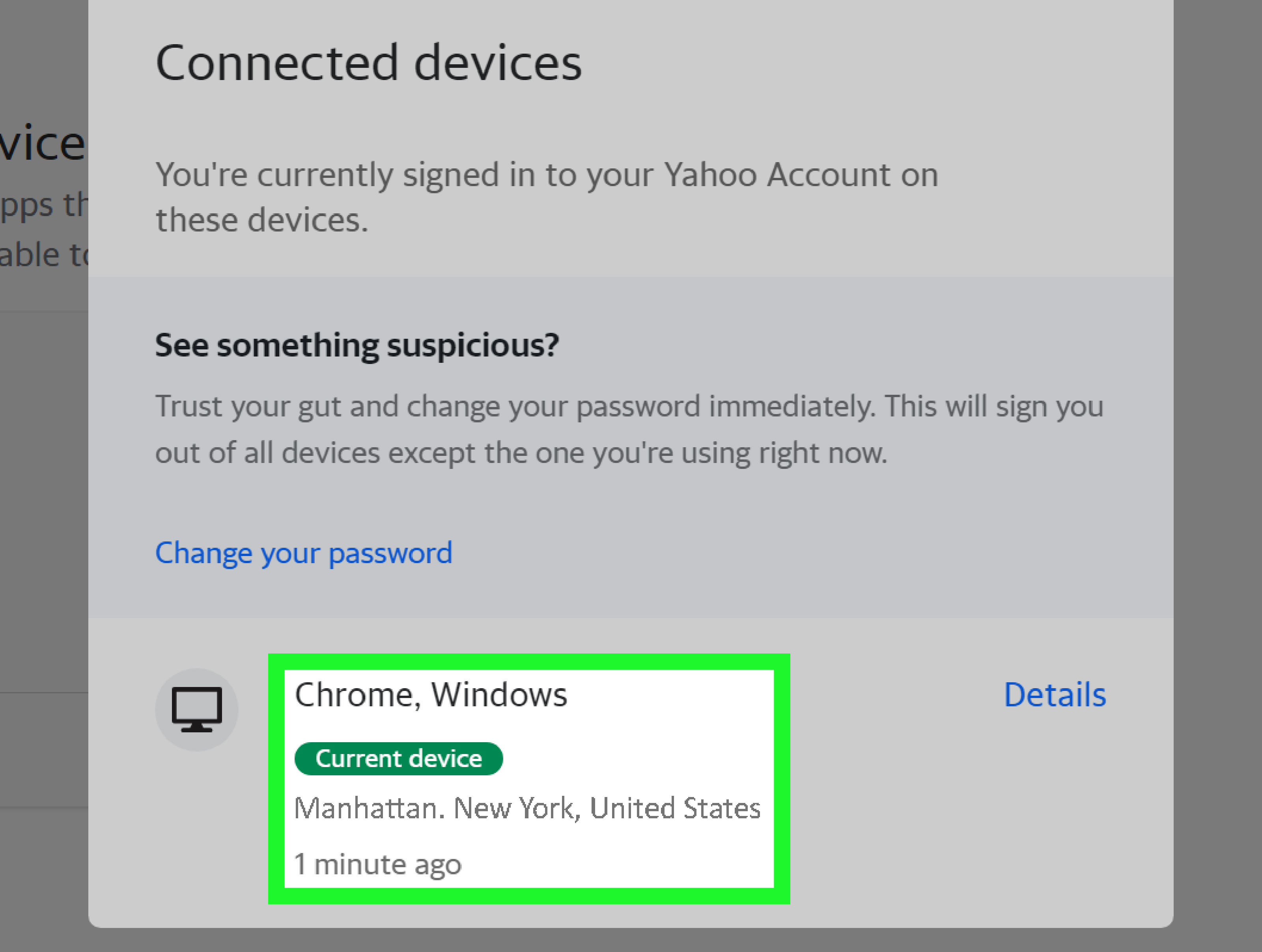
Yahoo lets users review account activity, including recent sign-ins and connected devices or apps. Look for anything unfamiliar. Pay attention to devices, browsers, locations, or times that do not match your activity.
If Yahoo gives you the option to remove or sign out suspicious sessions, do it. The goal is to force unknown devices out of your account. Changing your password is powerful, but reviewing active sessions adds another layer of cleanup.
What suspicious activity might look like
- A login from a state or country where you have not been.
- A browser you do not use, such as a sign-in from Safari when you only use Chrome.
- Activity at odd hours when you were asleep.
- Multiple failed sign-in attempts followed by a successful login.
- Connected apps you do not recognize.
Location data is not always perfect, especially if you use a VPN or mobile network. Still, if the activity clearly does not belong to you, treat it seriously.
Step 5: Delete Suspicious App Passwords and Connected Apps
Yahoo supports app passwords for third-party mail apps that do not use Yahoo’s standard sign-in page. These app passwords can remain active even after you change your main Yahoo password, so they deserve special attention.
Go to your Yahoo Account Security settings and review external connections or app passwords. Delete any app password or connected app you do not recognize. If you use an email app such as Outlook, Apple Mail, or another mail client, you can create a fresh app password later. For now, prioritize removing unknown access.
This step is easy to miss. Many people change the main password and assume the burglar has left the building. But if a malicious app password still works, the attacker may have a side door. Close the side door. Lock the windows. Maybe glare at the mailbox for good measure.
Step 6: Inspect Yahoo Mail Settings for Hacker Tricks
After attackers enter an email account, they often change mail settings to hide their tracks or keep receiving your messages. This is especially common when someone wants to intercept password reset emails, financial alerts, or business messages.
Yahoo Mail settings you should review
- Email filters: Delete filters that move important mail to trash, archive, spam, or strange folders.
- Auto-forwarding: Remove unfamiliar forwarding addresses.
- Reply-to address: Make sure replies go back to your correct Yahoo address.
- Sending name: Confirm your display name has not been changed.
- Email signature: Remove suspicious links, ads, or fake business messages.
- Vacation response: Turn off any automatic reply you did not create.
- Blocked addresses: Make sure important senders were not blocked.
Here is a common example: a hacker creates a filter that sends all messages containing “password,” “bank,” “verification,” or “security alert” straight to trash. You may think companies are not emailing you, when in reality the account is quietly hiding the evidence. That is why checking filters is not optional. It is one of the most important parts of Yahoo Mail hacked account recovery.
Step 7: Turn On Two-Step Verification
Once your Yahoo account is clean, enable two-step verification. This adds a second requirement at sign-in, such as a code, app approval, authenticator app, or security key. A password alone can be stolen through phishing, malware, or data breaches. Two-step verification makes stolen passwords much less useful.
For stronger protection, use an authenticator app or security key when available. Text-message verification is better than having no second step, but phone numbers can sometimes be targeted through SIM swap scams. The best choice depends on what Yahoo offers for your account and what you can reliably access.
Do not lose your recovery access
When enabling stronger security, make sure your recovery options are current. If you set up an authenticator app, safely store backup or emergency recovery codes if Yahoo provides them. Security should keep criminals out, not lock you out of your own digital house while the criminals laugh from the porch.
Step 8: Scan Your Devices for Malware
If your Yahoo account was hacked, your password may have been stolen by phishing, reused from another breach, guessed, or captured by malware. You do not always know which one. That is why you should update your device and run a security scan.
Use reputable security software on your computer. Update your browser, operating system, and mobile apps. Remove suspicious browser extensions, especially ones you do not remember installing. If you recently downloaded a strange attachment, cracked software, fake invoice, or “urgent document,” treat your device as suspicious until it is checked.
Changing your Yahoo password from an infected computer is like washing your hands while standing in a mud puddle. Clean the device, then secure the account.
Step 9: Warn Your Contacts
If spam or scam messages were sent from your Yahoo account, tell your contacts not to click links, open attachments, send money, buy gift cards, or reply to suspicious messages that appear to come from you.
You do not need to write a dramatic novel. A simple message works:
My Yahoo account was compromised. If you received a strange message or link from me, please delete it and do not click anything. I have changed my password and secured the account.
This protects your friends, family, coworkers, and customers. It also reduces confusion if someone received a weird “I am stranded and need money” email from you while you were actually at home eating cereal.
Step 10: Secure Other Accounts Connected to Yahoo
After you recover a hacked Yahoo account, think bigger than Yahoo. Search your inbox for terms like “password reset,” “verification code,” “invoice,” “bank,” “PayPal,” “Amazon,” “Facebook,” “Instagram,” “Apple,” “Google,” and “security alert.” These searches can reveal which accounts are connected to your Yahoo email.
Change passwords on important accounts, especially if they used the same or similar password. Enable two-factor authentication wherever possible. Review banking, shopping, cloud storage, and social media accounts for unauthorized changes.
Priority accounts to check first
- Bank and credit card accounts.
- Payment services and shopping accounts.
- Other email accounts.
- Cloud storage accounts.
- Social media accounts.
- Mobile carrier accounts.
- Work, school, or business platforms.
If you see unauthorized purchases, password resets, identity theft, or financial fraud, contact the affected company directly using the official website or phone number from your card or statement. Do not trust phone numbers in suspicious emails.
What If You Cannot Recover Your Yahoo Account?
Sometimes recovery does not work. Maybe your recovery phone number is old. Maybe the alternate email no longer exists. Maybe the attacker changed too much information. Yahoo’s recovery options depend heavily on the recovery methods already connected to the account.
If Yahoo does not offer a way to verify ownership, you may not be able to regain access. That is painful, especially if the account is old, but it is better to know the truth than to fall for fake recovery services promising guaranteed results.
If recovery fails, take these steps
- Create a new secure email account with a strong password and two-factor authentication.
- Update your email address on banking, shopping, social media, medical, school, and work accounts.
- Tell important contacts that your old Yahoo account is no longer safe.
- Monitor financial accounts for suspicious activity.
- Consider placing fraud alerts or credit freezes if sensitive information was exposed.
- Report scams or identity theft through appropriate official channels.
Do not pay strangers who claim they can “hack back” your Yahoo account. Many of them are scammers targeting people who are already stressed. Official recovery may be slower and less glamorous, but it is safer than handing your personal information to someone named “CyberKing_Recovery_007.”
Why Yahoo Accounts Get Hacked
Most Yahoo account hacks are not movie-style cyberattacks with glowing green code and a villain in sunglasses. They usually happen through ordinary weaknesses.
Common causes of Yahoo account compromise
- Password reuse: A password leaked from one website is tried on Yahoo.
- Phishing: A fake Yahoo sign-in page tricks you into entering your password.
- Weak passwords: Simple passwords are easier to guess or crack.
- Old recovery information: You lose access to your own verification options.
- Malware: A device infection captures passwords or session data.
- Shared devices: Someone signs in from a computer you forgot to log out of.
The fix is not one magic button. It is a layered approach: unique password, updated recovery methods, two-step verification, safe browsing habits, and regular account reviews.
How to Prevent a Yahoo Account Hack in the Future
After recovery, prevention is your new best friend. It is less exciting than emergency account rescue, but much better for your blood pressure.
Use a password manager
A password manager helps you create unique passwords for every account. This protects you from credential stuffing, where criminals take leaked usernames and passwords from one breach and try them on other services.
Be suspicious of urgent messages
Phishing emails often create panic. They say your account will close, your storage is full, your payment failed, or your password expires today. Instead of clicking the link, open a new browser tab and go directly to the official website.
Keep recovery information updated
Review your recovery phone and alternate email every few months. If you change phone numbers, update Yahoo before you need recovery. Future-you will be grateful. Future-you may even say nice things about present-you.
Review mail settings regularly
Every so often, check filters, forwarding, reply-to settings, and connected apps. This takes only a few minutes and can catch problems early.
Update devices and browsers
Software updates often patch security flaws. Do not postpone updates forever. Yes, updates arrive at the worst possible time. Somehow they always know when you are busy. Install them anyway.
A Practical Recovery Example
Imagine Sarah notices that her sister received an email from her Yahoo account with a strange link. Sarah tries to sign in and sees an invalid password message. Instead of searching for “Yahoo hacker help phone number” and clicking the first ad, she goes directly to Yahoo’s official Sign-In Helper. She verifies her identity with her recovery phone, resets her password, and gets back in.
Next, she checks her recovery email and phone number. They are still correct. Then she reviews recent activity and removes a suspicious session. She deletes an unknown app password, checks Yahoo Mail filters, and finds a rule sending security emails to trash. She deletes the rule. Then she turns on two-step verification and sends a warning to her contacts.
Finally, Sarah changes passwords on her shopping and payment accounts because she had reused the old Yahoo password. Was it fun? No. Was it better than letting a stranger browse years of receipts, family photos, and password resets? Absolutely.
Extra Experience-Based Advice: What People Often Learn the Hard Way
Recovering a hacked Yahoo account teaches a few lessons very quickly. The first lesson is that old email accounts are usually more important than people realize. Many Yahoo accounts have been around for years, sometimes decades. They may contain tax documents, travel confirmations, medical messages, school records, family conversations, business contacts, and password reset links for dozens of other services. Even if you no longer use Yahoo every day, an attacker may find it valuable.
The second lesson is that recovery information matters before trouble starts. Many people only think about their recovery phone number after they lose access. By then, the number may be outdated, the recovery email may be abandoned, and the account may be difficult or impossible to prove. A simple five-minute check today can prevent a miserable recovery process later.
The third lesson is that hackers often hide quietly. Not every attacker immediately sends spam to your entire contact list. Some create forwarding rules, filters, or connected app access so they can monitor incoming messages. They may wait for bank alerts, password reset codes, business invoices, or personal information. That is why changing the password is only the first step. You must also check settings, app passwords, recovery methods, and recent activity.
The fourth lesson is that embarrassment helps hackers. Many victims feel awkward telling contacts that their account was compromised. But warning people quickly is responsible, not embarrassing. Most people have seen suspicious emails before. A short warning can stop someone from clicking a malicious link or sending money to a scammer pretending to be you.
The fifth lesson is that password reuse is a quiet disaster. If your Yahoo password was used anywhere else, the hack may spread. Attackers often test the same login combination across popular websites. This is why one reused password can become a chain reaction. A password manager may feel like extra work at first, but it is much easier than cleaning up five compromised accounts at once.
The sixth lesson is that “account recovery services” should be treated with extreme caution. When people are desperate, they may trust strangers who promise instant recovery. Real account recovery depends on official verification methods. Anyone asking for your password, verification code, ID documents without a legitimate process, remote access to your device, or payment through gift cards or cryptocurrency is waving a very large red flag.
The seventh lesson is that security is not about being paranoid. It is about being prepared. You do not need to live in fear of every email. You only need a few strong habits: type official web addresses yourself, avoid suspicious links, use unique passwords, enable two-step verification, update devices, and review account settings occasionally. These habits are not glamorous, but neither is replacing your entire digital life after a hack.
Finally, recovering a hacked Yahoo account is a reminder that email is not just email. It is identity infrastructure. It connects to money, memories, subscriptions, documents, and relationships. Protect it like you would protect your wallet, passport, or house keys. And if your Yahoo account has already been hacked, do not panic. Work through the recovery steps carefully, secure the account thoroughly, and use the experience to build stronger protection going forward.
Conclusion
Knowing how to recover a hacked Yahoo account can save you from lost messages, identity theft, financial headaches, and a lot of awkward “Please do not click that link from me” conversations. Start with Yahoo’s official Sign-In Helper, reset your password, review recovery options, remove suspicious app access, inspect mail settings, enable two-step verification, and secure every important account connected to your Yahoo email.
The fastest recovery is not always the safest recovery. Take the time to clean up the account fully. A hacker who loses access once may try again, especially if old settings, reused passwords, or weak recovery options remain in place. Treat the recovery process like changing the locks after a break-in. You would not replace only the front doorknob and leave the back door open.
With the right steps, your Yahoo account can go from compromised to controlled again. And with better habits, stronger passwords, and two-step verification, it can stay that way.
SEO Tags
Note: This article is written for educational and account-protection purposes. Always use Yahoo’s official recovery tools and avoid third-party services that promise guaranteed account recovery.