Trying to find the publisher of a book sounds simple until the book starts acting like it has a secret identity. The cover may show a logo, the copyright page may mention three companies, the title page may look like it was designed during a candle shortage, and the online listing may insist the publisher is something completely different. Congratulations: you have entered the tiny but surprisingly dramatic world of book publication details.
The good news is that finding a book publisher is usually not difficult once you know where to look. Whether you are writing a citation, researching a rare edition, checking a textbook, cataloging your home library, verifying a self-published title, or simply trying to win an argument with someone who says “just Google it,” there are reliable ways to track down the correct publisher name.
This guide walks through 4 ways to find the publisher of a book, using practical methods that work for print books, eBooks, audiobooks, older editions, textbooks, reprints, and books with confusing copyright pages. We will also cover how to avoid common mistakes, such as mixing up the publisher with the printer, distributor, parent company, or online retailer. Because yes, Amazon may sell the book, but that does not automatically make Amazon the publisher. The book world has rules, and occasionally, those rules wear tiny reading glasses.
Why Finding the Publisher of a Book Matters
The publisher is the company, organization, institution, or self-publishing entity responsible for making the book available to the public. In academic writing, the publisher is an essential part of most book citations. In libraries and bookstores, publisher data helps identify the exact edition. In collecting, publishing history can affect value. In research, knowing the publisher can help you judge credibility, especially with educational, medical, legal, historical, or scientific books.
Publisher information also helps separate one edition from another. A classic novel may have dozens of versions: a Penguin Classics paperback, a Modern Library hardcover, a Barnes & Noble edition, a school edition, an illustrated collector’s edition, and a self-published public-domain reprint. They may contain the same core text, but they are not the same publication. If you cite, buy, sell, or research the wrong edition, your information can drift off course like a bookmark lost in a couch cushion.
Way 1: Check the Title Page and Copyright Page
The fastest and most reliable place to find a book’s publisher is usually inside the book itself. Start with the title page, then check the copyright page, also called the verso page because it often appears on the back of the title page. In most modern books, these pages contain the key publication details: title, author, publisher name, publication year, ISBN, edition information, copyright notice, and sometimes the publisher’s address or imprint.
Where to Look First
Open the book to the first few pages. Do not rely only on the front cover, dust jacket, or spine. Covers are designed to attract readers; title pages are designed to identify the book. The title page commonly includes the full title, subtitle, author name, and publisher logo or publisher name near the bottom. If you see “Harper,” “Penguin Random House,” “Simon & Schuster,” “Scholastic,” “Oxford University Press,” or another publishing name there, you have probably found the answer.
Next, flip to the copyright page. This page often looks like a tiny legal attic: compact text, numbers, rights statements, ISBNs, printing codes, edition notes, and occasionally a paragraph that seems to be written for librarians, lawyers, and owls. Look for wording such as “Published by,” “First published by,” “Copyright ©,” “An imprint of,” or “Manufactured in.” The publisher name may appear with an address, website, or parent company.
Example
Suppose you are holding a paperback novel. The cover shows a large author name, a small logo, and a flashy sticker from a bookstore. The title page says “Riverhead Books.” The copyright page says “Riverhead Books, an imprint of Penguin Random House LLC.” In a citation or general identification, “Riverhead Books” is usually the publisher or imprint you would use, while Penguin Random House is the parent company. The exact choice may depend on your citation style or the purpose of your research, but the title page gives you the strongest clue.
Do Not Confuse Publisher, Printer, and Distributor
A common mistake is treating the printer as the publisher. If the copyright page says “Printed in the United States” or “Manufactured by Lightning Source,” that is not necessarily the publisher. Printers physically produce copies. Distributors move books into stores and libraries. Retailers sell books. Publishers bring the edition into the world. The difference matters.
Another source of confusion is the imprint. An imprint is a publishing brand under a larger publisher. For example, a large publishing group may own several imprints for fiction, children’s books, academic titles, cookbooks, or romance. If the title page lists the imprint, that is often the name you use when identifying the publisher of that specific book.
Way 2: Search by ISBN
If the inside pages are missing, unclear, or unavailable, the ISBN can be your best friend. ISBN stands for International Standard Book Number. It is a unique identifier assigned to a specific edition and format of a book. A hardcover, paperback, eBook, and audiobook may each have different ISBNs, even when the title and author are the same.
You can usually find the ISBN on the back cover near the barcode, on the copyright page, or in an online product listing. Modern ISBNs have 13 digits, while many older books used 10-digit ISBNs. If you find both, the 13-digit version is generally the modern format. Copy the number carefully. One wrong digit can send you into the bibliographic wilderness, where the squirrels are judgmental.
How to Use an ISBN to Find the Publisher
Enter the ISBN into a reliable search tool such as a library catalog, bookstore database, publisher database, or bibliographic record search. Use quotation marks around the ISBN if you are using a general search engine. The result should show the title, author, edition, format, publication date, and publisher. This method is especially helpful when many books have similar titles.
For example, searching a title like “Introduction to Psychology” may bring up hundreds of books. Searching the ISBN narrows the result to one specific edition. That matters because one psychology textbook may be published by Worth Publishers, another by Pearson, another by Cengage, and another by an open educational resource publisher. Same general topic, completely different publication record.
ISBN Tips for Print Books, eBooks, and Audiobooks
Always match the ISBN to the format you are using. If you are citing a paperback, do not grab the publisher from the Kindle edition unless the publication details are identical. If you are researching an audiobook, check the audiobook ISBN or platform record. Audiobook publishers may differ from print publishers, especially when audio rights are handled separately.
Also remember that some older books do not have ISBNs because they were published before ISBN use became common. Public-domain reprints, antique books, privately printed books, and some small-press titles may also lack clear ISBN information. In those cases, move on to library catalogs and edition research.
Way 3: Use Library Catalogs and Bibliographic Databases
Library catalogs are excellent tools for finding the publisher of a book because they are built around bibliographic accuracy. Unlike a casual shopping listing, a catalog record is designed to identify a specific item. It often includes the author, full title, edition, place of publication, publisher, publication date, physical description, ISBN, subjects, and library classification details.
Best Places to Search
Start with a major library catalog such as the Library of Congress catalog, WorldCat, a university library catalog, or your local public library catalog. Search by ISBN when possible. If you do not have the ISBN, search by title and author together. If the title is common, add the publication year, edition number, illustrator, translator, or subtitle.
WorldCat is especially useful because it gathers records from libraries around the world. If you are trying to identify an older book, a foreign edition, a university press title, or a book that is out of print, library catalog records can be much more useful than ordinary search results. The Library of Congress catalog is also valuable for books held in its collections, especially U.S. publications and works with Library of Congress cataloging data.
How to Read a Catalog Record
Look for a field labeled “Publisher,” “Publication,” “Published,” or “Imprint.” A record might say something like “New York: Alfred A. Knopf, 2020.” In older cataloging language, the line may include the city, publisher, and year together. In this example, “Alfred A. Knopf” is the publisher, “New York” is the place of publication, and “2020” is the publication year.
Be careful when multiple records appear for the same title. Choose the record that matches your copy. Compare the ISBN, edition statement, page count, format, cover image, translator, illustrator, and publication year. If your copy has 312 pages and the catalog record has 488 pages, you may be looking at a different edition. The book is waving a tiny red flag; be polite and notice it.
When Library Records Disagree
Sometimes two catalogs list slightly different publisher names. One may show an imprint, while another shows the parent company. One may abbreviate a university press name, while another spells it out. When records disagree, give priority to the physical book in hand, especially the title page and copyright page. Use catalogs to confirm, not blindly replace, the evidence inside the book.
Way 4: Check Publisher Websites, Book Retailers, and Trusted Reference Sources
If the title page is missing, the ISBN search is inconclusive, and library catalogs give mixed results, check the publisher’s website, reputable bookstore pages, academic databases, and trusted reference sources. This method is useful for newer books, self-published books, textbooks, special editions, and books available in multiple formats.
Use the Publisher’s Official Website
If you suspect the publisher, search the title on the publisher’s official website. Publisher pages usually list the current edition, format, ISBN, publication date, price, author biography, and sometimes rights information. This is one of the cleanest ways to confirm publisher identity for recently published books.
For example, if a children’s book appears to be from Scholastic, search the exact title and author on Scholastic’s site. If a scholarly title appears to be from University of Chicago Press, search that press’s catalog. University presses, major trade publishers, and educational publishers usually maintain accurate title pages in their online catalogs.
Use Retailer Pages Carefully
Book retailers can be helpful, but they are not perfect. Retail listings may combine editions, display marketplace seller data, or show a publisher field that reflects a distributor, imprint, or self-publishing platform. Amazon, Barnes & Noble, Bookshop.org, and other retailers can provide clues, especially when they list ISBNs and publication dates, but you should cross-check the information against library catalogs or the book itself.
This is especially important with public-domain classics. A retailer may show dozens of editions of Pride and Prejudice, each from a different publisher. The original work is by Jane Austen, but the publisher of your copy might be Penguin Classics, Oxford World’s Classics, Dover Publications, Modern Library, or a print-on-demand company. The publisher you need is the one responsible for the edition you are using.
Check Google Books, Internet Archive, and Preview Pages
Preview tools can help when you do not physically have the book. Google Books, Internet Archive, HathiTrust, and other digital repositories may show scanned title pages, copyright pages, or metadata. If the preview includes the first few pages, inspect them the same way you would inspect a print copy. If only metadata is available, treat it as a helpful clue and verify it elsewhere when accuracy matters.
Special Cases: Older Books, Reprints, and Self-Published Titles
Some books make publisher research more interesting than it needs to be. Older books may list a publisher on the title page but no copyright page. A 19th-century book may include a city and bookseller instead of a modern publishing company. Reprints may include both the original publisher and the new publisher. Self-published books may list an author name, an imprint name, or a platform.
Older Books
For older books, start with the title page. It may list the publisher, city, and year in a formal line near the bottom. If there is no clear date or publisher, check library catalogs, rare book databases, bookseller listings, and scans of similar copies. Pay close attention to edition statements, illustrations, binding, prefaces, advertisements, and printer information. These clues can help identify the publication history.
Reprints
For reprints, decide whether you need the original publisher or the publisher of the copy in your hand. In most citations, you use the publisher of the edition you actually consulted. If you are discussing publication history, you may mention both: the original publisher and the reprint publisher. For example, a classic novel originally published in the 1800s may now appear in a 2024 annotated edition from a modern academic press. Those are different publication facts.
Self-Published Books
Self-published books may list the author as publisher, a personal imprint, or a publishing service. A book created through Kindle Direct Publishing, IngramSpark, or another platform may still have an imprint or self-publisher listed. Do not assume the platform is the publisher unless the book record clearly says so. Look for the publisher name on the copyright page, ISBN record, retailer listing, or author’s official site.
How to Choose the Correct Publisher for Citations
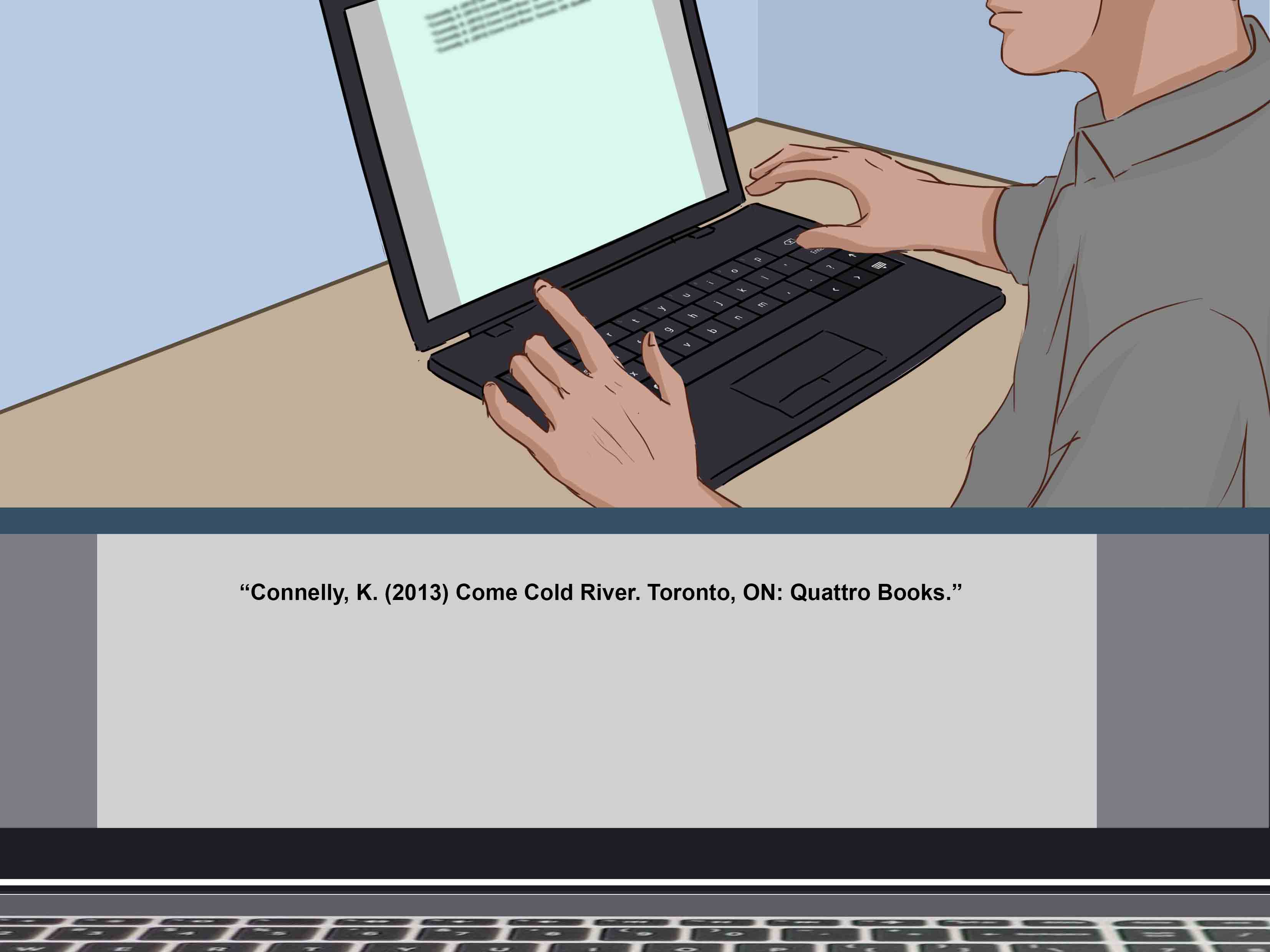
If you are finding the publisher for a citation, use the rules of your required style guide. MLA, APA, and Chicago all treat book publication details slightly differently, but they generally require the publisher name for a book reference. Modern citation styles often no longer require the city of publication for most current books, but the publisher remains important.
For MLA, a basic book entry normally includes the author, title, publisher, and publication date. For APA, a book reference generally includes author, year, title, edition if relevant, and publisher. Chicago style also uses publisher information in notes-bibliography or author-date references. The exact punctuation may change, but the detective work stays the same.
A Simple Rule
Use the publisher of the exact edition you used. If your professor, editor, librarian, or style guide says otherwise, follow that instruction. But for most ordinary situations, the edition in your hand is the edition you cite. Do not cite the original 1925 publisher if you used a 2020 classroom edition with a new introduction, notes, and publisher.
Common Mistakes to Avoid
Using the Retailer as the Publisher
A store that sells a book is not automatically the publisher. Retailers are useful for finding book details, but they are not always the source of truth.
Using the Printer as the Publisher
Words like “printed by,” “manufactured by,” or “typeset by” usually point to production services, not the publisher.
Ignoring the Edition
The same title can have many publishers. Always match the publisher to your edition, format, and ISBN.
Trusting the Cover Alone
Covers can display logos, series names, awards, retailers, or imprints. The title page and copyright page are stronger evidence.
Confusing Parent Company and Imprint
If a book says “Vintage Books, a division of Penguin Random House,” the imprint “Vintage Books” may be the more precise publisher name for that edition.
Quick Checklist: How to Find the Publisher of a Book
- Check the title page first.
- Check the copyright page next.
- Look for “Published by,” “An imprint of,” or publisher address details.
- Copy the ISBN from the copyright page or back cover.
- Search the ISBN in library catalogs or bibliographic databases.
- Compare edition, format, year, and page count.
- Confirm with the publisher’s official website when possible.
- Avoid mistaking printers, sellers, or distributors for publishers.
Real-World Experiences: What Finding a Book Publisher Teaches You
After you have searched for publishers a few times, you start to notice that books have personalities. New hardcovers usually behave well. They show their publisher proudly on the title page, repeat it on the copyright page, and include an ISBN that leads directly to a clean catalog record. These books are the students who bring extra pencils to class.
Older books, on the other hand, can be charming troublemakers. You may open a dusty copy and find a beautiful title page with a city, a date, and a name that looks more like a bookseller than a publisher. Sometimes there is no ISBN because the book predates modern numbering systems. Sometimes the copyright page is missing because it was never there, or because time, glue, and someone’s great-aunt had other plans. In those cases, the experience becomes part research, part puzzle, and part gentle negotiation with the past.
One practical lesson is that the first answer is not always the best answer. A retailer page may say one publisher, a catalog may say another, and the book itself may reveal an imprint that is more accurate than both. This is why experienced researchers cross-check. They do not panic when details differ; they compare evidence. The title page, copyright page, ISBN, library record, and publisher catalog each add a piece to the picture.
Another useful experience is learning to respect editions. Two copies of the same book can look nearly identical online but have different introductions, notes, translations, page numbers, covers, ISBNs, and publishers. This matters for students because page numbers in citations must match the copy being used. It matters for collectors because one edition may be ordinary while another is valuable. It matters for readers because a translation or annotated edition can change the reading experience dramatically.
Finding the publisher also teaches you not to trust book metadata blindly. Online databases are helpful, but they can contain imported, abbreviated, outdated, or merged information. A marketplace seller may upload incomplete details. A scan may attach the wrong cover image. A digital edition may borrow metadata from a print edition. None of this means the internet is useless; it simply means the internet occasionally needs adult supervision.
The most satisfying moment is when all the clues line up. The title page names the imprint. The copyright page names the parent company. The ISBN search confirms the edition. The library catalog matches the page count and publication year. Suddenly, the mystery is solved, and the book stops looking suspicious. You can write your citation, catalog your shelf, confirm your edition, or continue your research with confidence.
In everyday use, the best habit is simple: treat every book as a specific object, not just a title. Ask, “Which edition is this? Which format? Which year? Which publisher is named inside this copy?” That mindset prevents most mistakes. It also makes you a sharper reader, researcher, student, collector, or writer. And as a bonus, you get to feel like a literary detective without needing a trench coat. Although, frankly, the trench coat would not hurt.
Conclusion
Finding the publisher of a book is not about guessing; it is about checking the right clues in the right order. Start with the title page and copyright page. Use the ISBN to identify the exact edition. Confirm details through library catalogs and trusted bibliographic databases. When needed, cross-check with publisher websites, retailer listings, and digital previews. The process is simple once you know the path.
The biggest secret is to focus on the exact copy you are using. Books are published, republished, translated, revised, reprinted, digitized, and packaged in more ways than most readers realize. A title alone is not enough. The publisher belongs to a specific edition, and that edition leaves clues. Follow them carefully, and the answer usually appears without too much drama.
So the next time a book hides its publisher, do not surrender to confusion. Open the first pages, inspect the copyright details, search the ISBN, check a catalog, and compare your results. Somewhere in that trail of tiny type and library metadata, the publisher is waiting to be found. It may not shout, but it is usually there, quietly doing its job like the introvert of the citation world.